
Online learning is growing fast in 2026. More educators, businesses, and course creators are building their own platforms than ever before, and WordPress gives you the most flexibility to do it on your own terms.
The right eLearning plugin is what turns your WordPress site into a fully functional learning management system. This guide breaks down the best options so you can pick the one that actually fits what you are trying to build.
LearnDash is the best WordPress eLearning plugin for professional course platforms in 2026. Tutor LMS is the strongest choice for beginners. LifterLMS leads for membership and community-based learning. The right plugin depends on your business model, content volume, and how you plan to monetise your courses. Start there before comparing features.
Why Businesses and Creators Use WordPress for Online Courses?
WordPress is the most flexible foundation for building an online course platform because you own everything completely. You pay no per-student fees, take no revenue cut, and integrate directly with WooCommerce, membership plugins, and email marketing tools without leaving your own site.

LMS plugins add the course management layer that WordPress does not include by default. They handle course builders, student dashboards, quiz engines, payment processing, and certificate generation so you can focus on creating content rather than building infrastructure.
Key Features Every WordPress eLearning Plugin Should Have
The features your LMS plugin must have depend on what your platform needs to do. These are the non-negotiable capabilities that separate a functional course platform from one that creates frustrating limitations as your student base grows.
- Course Builder Functionality: Drag-and-drop course creation with support for video, text, audio, PDFs, and structured lesson sequences.
- Student Progress Tracking: Clear visibility for both students and instructors showing completion rates, quiz scores, and lesson progress.
- Quiz and Assessment Tools: Multiple question types, instant feedback, configurable passing grades, and certificate triggers on completion.
- Payment Gateway Integration: Native support for Stripe, PayPal, and WooCommerce for one-time payments, subscriptions, and course bundles.
- Membership and Subscription Support: Ability to gate content behind membership levels or recurring subscription plans.
- Mobile-Friendly Learning Experience: Responsive lesson layouts that work correctly on phones and tablets without a separate app.
- Drip Content and Course Scheduling: Ability to release lessons on a schedule or after prerequisite completion rather than all at once.
- Certificate Generation: Automatic certificate issuance on course completion to improve student engagement and perceived course value.
Best WordPress eLearning Plugins for Online Courses
These are the most widely used and consistently reliable WordPress eLearning plugins in 2026. Each suits a different platform type, budget, and technical requirement. Here is how they compare.
LearnDash
LearnDash is the industry standard for professional and enterprise-level WordPress course platforms. Universities, large businesses, and professional training organizations consistently choose it for complex course structures, conditional content release, group management, and detailed reporting.
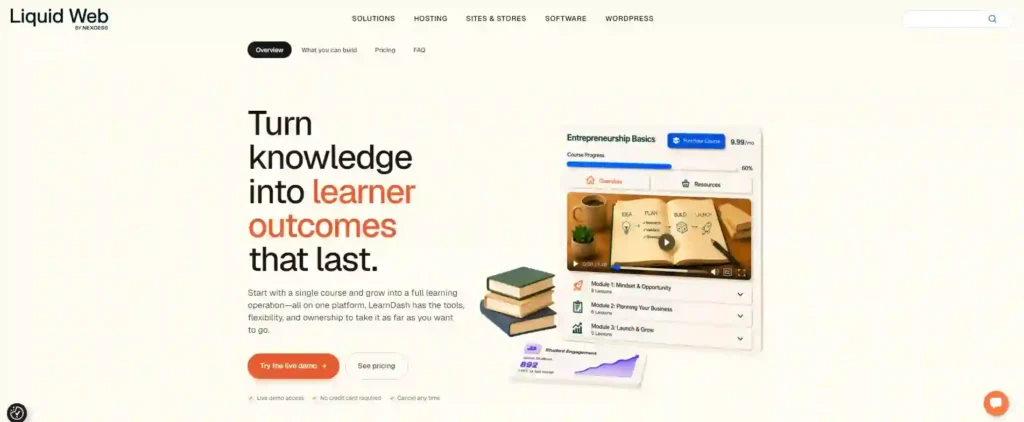
It offers the most advanced quiz engine on this list with multiple question types, instant personalized feedback, and configurable passing grades. If you need a platform that scales reliably in real use, LearnDash is the best choice.
Sensei LMS
Sensei LMS is built by Automattic, the same company behind WordPress.com and WooCommerce. It integrates natively with WooCommerce, which makes it the most straightforward option for stores that already sell products and want to add courses without a complex setup.
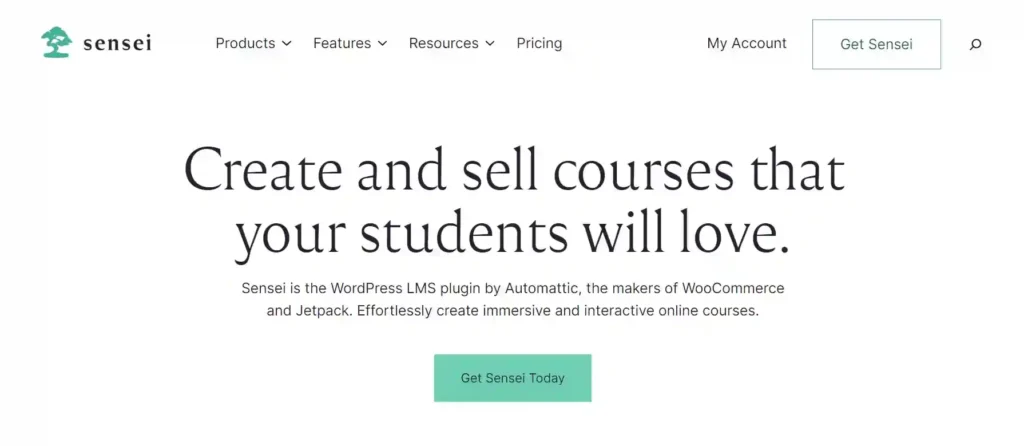
The interface follows standard WordPress conventions, so the learning curve is minimal. It is not the most feature-rich option on this list, but it is the cleanest and most WordPress-native solution available.
Tutor LMS
Tutor LMS is the most beginner-friendly WordPress eLearning plugin available in 2026. The drag-and-drop course builder requires no technical knowledge, and the free version includes all core features needed to launch a functional course website from day one.
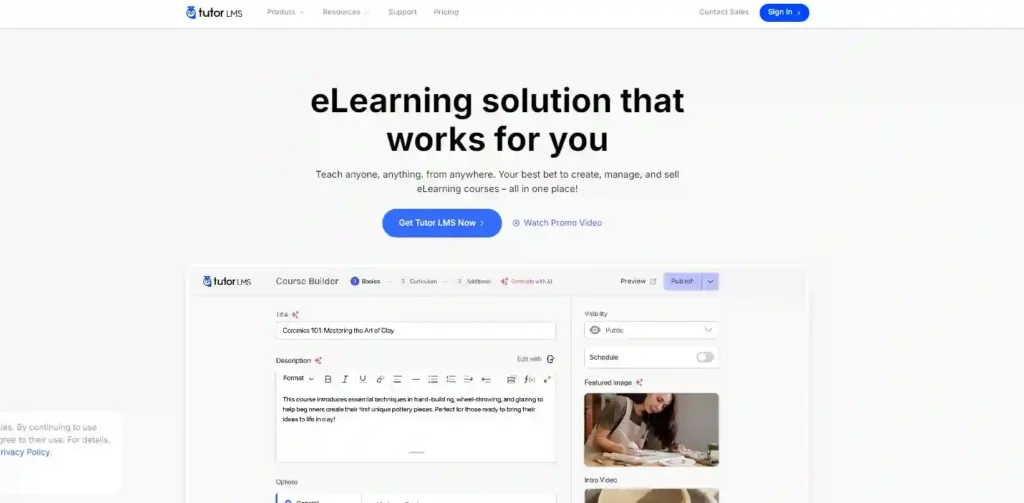
The interface is clean, the student dashboard is intuitive, and the setup process is straightforward enough to complete without developer help. If you are launching your first course platform, start here.
LifterLMS
LifterLMS is the strongest option for course platforms built around community and membership-based learning. It combines course delivery with engagement tools, including discussion forums, social learning features, and achievement systems that keep students coming back.

It integrates well with email marketing platforms and supports multiple membership levels with different course access tiers. If student engagement and retention are your primary goals, LifterLMS delivers more community-focused tools than most alternatives.
MemberPress Courses
MemberPress Courses is the best choice when your business model is built around recurring membership subscriptions rather than individual course sales. Subscription billing, paywall controls, and member management all work natively together in a single plugin, without requiring additional integrations.
If you already use MemberPress for membership management, adding the Courses module gives you a complete learning platform without introducing a separate LMS plugin into your stack.
Ready to Build Your WordPress Course Platform?
Seahawk specialises in WordPress LMS development and education website design. From plugin setup and course structure to custom design and performance optimization, Seahawk builds course platforms that work for both educators and students.
How to Choose the Right eLearning Plugin for Your Website?
Choosing the wrong LMS plugin is significantly more expensive to fix after students have enrolled and content has been built. Answer these three questions before you evaluate any specific plugin.
Consider Your Course Business Model
Your monetization model is the single most important factor in choosing an LMS plugin because it determines which features are non-negotiable from day one.
Are you selling individual courses as one-time purchases, running a subscription membership, delivering corporate training programs, or combining several of these? Each model has different technical requirements, and not every plugin handles all of them equally well.
Evaluate Course Creation and Student Features
The quality of your course-creation experience determines how quickly you can build and launch content. The quality of your student experience determines whether they finish it.
Look for quiz systems that support multiple question types, student dashboards that show clear progress, video lesson support with resume functionality, and detailed reporting that gives you actionable data about how students are engaging with your content.
Review Ecommerce and Payment Integrations
How you collect payment and manage course access is as important as the course content itself. A missing payment method or broken checkout costs you enrollments directly.
Confirm your chosen plugin supports WooCommerce if you already sell products, native Stripe and PayPal for direct payments, subscription billing for recurring revenue, and affiliate integration if you plan to use partners to promote your courses.
Best eLearning Plugins for Different Use Cases
The best LMS plugin varies significantly depending on what your platform needs to do. Here is the clearest recommendation for each common course platform type.
Best Plugin for Beginners
Tutor LMS is the best WordPress eLearning plugin for beginners because it requires no technical knowledge, launches fast, and includes all core features in its free version.
The drag-and-drop course builder is intuitive from day one. The student dashboard is clean and easy to navigate. You can launch a fully functional course platform without writing a single line of code.
Best Plugin for Advanced LMS Websites
LearnDash is the best WordPress LMS plugin for professional course platforms because it offers the most advanced quiz engine, automation, and enterprise scalability on this list.
Universities, large businesses, and professional training organizations consistently choose LearnDash for its complex course structures, conditional content release, group management, and detailed reporting that simpler plugins cannot match.
Best Plugin for Membership Courses
MemberPress Courses is the best option for membership-based learning because it combines subscription management and course delivery in a single plugin, without requiring additional integrations.
Subscription billing, paywall control, and member management all work together natively. If your business model is built around recurring memberships rather than individual course sales, this is the most efficient choice available.
How eLearning Plugins Affect Website Performance and UX?
LMS plugins add significant processing overhead to WordPress by handling video delivery, student dashboards, quiz engines, membership validation, and concurrent user sessions simultaneously. This directly affects your page speed, Core Web Vitals scores, and students’ experience on your platform.
A slow or confusing course platform can cause students to drop out before completing the content. Completion rates and student retention are directly tied to how fast your lessons load and how easy your navigation is to follow.
UX Features That Improve Online Learning
Course navigation needs to be frictionless. Students who cannot find their next lesson or track their progress clearly disengage faster than those on platforms with clean, intuitive layouts.
Mobile responsiveness is equally critical. A significant share of course consumption happens on phones and tablets. Lesson layouts that break on smaller screens, videos that do not load correctly, or quiz interfaces that are hard to tap on mobile devices all directly reduce completion rates and student satisfaction.
SEO Best Practices for Online Course Websites
Most course platforms underinvest in SEO and rely entirely on paid advertising for student acquisition. Organic search visibility reduces that dependency and compounds over time as your course catalog grows.
- Optimize Course Landing Pages: Each course needs a dedicated page with a clear title, detailed description, and keywords that match how potential students search for that topic.
- Use Structured Course URLs: Clean URLs like yoursite.com/courses/course-name improve crawlability and help search engines understand your content hierarchy.
- Improve Page Speed and Core Web Vitals: Course platforms with heavy video content frequently fail Core Web Vitals benchmarks. Address image compression, caching, and render-blocking scripts.
- Add Schema Markup for Courses: Course schema tells search engines your course name, description, provider, and pricing, which can trigger rich results in search listings.
- Optimize Videos and Media Content: Add transcripts, captions, and descriptive file names to video lessons. These improve accessibility and give search engines more content to index.
- Build Internal Links Between Lessons: Internal links between related courses and lesson pages distribute authority and help search engines understand the depth of your catalog.
Common Mistakes Businesses Make When Choosing LMS Plugins
Most LMS plugin mistakes are made before a single course is built. The wrong choice at the selection stage creates technical debt that compounds as your platform grows and becomes significantly more expensive to fix after students have enrolled.
- Choosing Plugins With Unnecessary Features: Features you never use add performance overhead and increase complexity without any benefit to your students.
- Ignoring Scalability Requirements: A plugin that handles 50 students may not handle 5,000. Evaluate scalability before you need it, not after growth exposes the limitation.
- Using Slow Hosting Environments: No LMS plugin performs well on underpowered shared hosting. Course platforms require hosting with sufficient memory and fast server response times.
- Forgetting Mobile Optimization: Test every course template and lesson layout on real mobile devices before launch. Desktop testing consistently misses mobile-specific failures.
- Not Planning Course Monetization Properly: Retrofitting a payment model onto a plugin not designed for it is significantly harder than choosing the right plugin from the start.
- Installing Too Many LMS Add-ons: Each additional plugin adds performance overhead and potential conflicts. Keep your plugin stack as lean as possible.
Conclusion
The best WordPress eLearning plugin depends entirely on what your course platform needs to do. LearnDash leads for professional platforms. Tutor LMS leads for beginners. LifterLMS leads the way for community- and membership-focused learning.
Choose based on your business model first and features second. Get the hosting right, optimize your course pages for search, and build a student experience that keeps people coming back. The technical foundation you choose now determines how well your platform scales as your audience grows.
Frequently Asked Questions About WordPress eLearning Plugins
Which is the best WordPress LMS plugin in 2026?
LearnDash is the strongest overall option for professional course platforms. It offers the most advanced quiz engine, automation, and enterprise scalability. For beginners, Tutor LMS offers the most accessible entry point, with a modern interface and a robust free version.
What is the easiest WordPress plugin for online courses?
Tutor LMS is the easiest WordPress LMS plugin for beginners. It has a clean drag-and-drop course builder, an intuitive student dashboard, and a free version that includes all core features needed to launch without any technical expertise.
Can WooCommerce sell online courses?
Yes. Most major WordPress LMS plugins, including LearnDash, Tutor LMS, and LifterLMS, integrate natively with WooCommerce. You can sell courses as WooCommerce products with full control over pricing, discounts, bundles, and payment gateway options.
Do LMS plugins affect WordPress performance?
Yes significantly. LMS plugins add database load, processing overhead, and page weight from student dashboards, video players, and quiz engines. Choosing lightweight plugin configurations, optimizing video delivery, configuring caching correctly, and using quality managed hosting all help maintain acceptable performance as your platform grows.
Which LMS plugin is best for memberships?
MemberPress Courses is the strongest option for membership-based course platforms. It combines membership tier management with course content delivery into a single plugin, with native subscription billing, paywall controls, and member access rules that work together without additional integrations.
How do I optimize SEO for online course websites?
Add course schema markup to every course page, create dedicated landing pages with keyword-optimized titles and descriptions, build clean URL structures, improve Core Web Vitals by addressing image compression and caching, add video transcripts for search indexability, and build internal links between related courses and lesson content.



