Translate Your Entire WordPress Site With AI to make your website accessible to global audiences faster and more efficiently in 2026. AI-powered translation tools help businesses localize pages, blog posts, WooCommerce products, and website content in minutes without the slow manual translation process.
Modern AI translation plugins also help maintain multilingual SEO, mobile UX, website structure, and overall performance while making multilingual website management much easier to scale.
You can translate a WordPress website with AI by using multilingual translation plugins that automatically translate pages, blog posts, WooCommerce products, menus, and SEO metadata into multiple languages while maintaining website structure, user experience, and search visibility. The best plugins combine AI automation for speed with manual editing capability for accuracy so you get both volume and quality without the bottleneck of manual translation.
Why Businesses Need Multilingual WordPress Websites?
WordPress powers 43.5 percent of all websites globally. As businesses expand beyond local markets, multilingual websites are no longer optional. They are essential for growth, accessibility, and search visibility in competitive international markets.

Global audiences expect localized experiences. A site that speaks a visitor’s language builds trust immediately, and that trust directly affects how long they stay and whether they convert. Multilingual SEO also improves international rankings by signaling to search engines which language version serves which audience through hreflang tags and language-specific URLs.
Step-by-Step Process to Translate Your WordPress Site With AI
Work through these steps in sequence. Setting up languages and plugins correctly from the start prevents URL structure and indexing problems that are difficult to fix after content has been translated.
Choose the Right AI Translation Plugin
Your plugin choice determines how translations are stored, how URLs are structured, and how well your multilingual SEO performs. Choose based on your site size, technical comfort level, and whether you need AI automation, manual control, or a hybrid of both.
TranslatePress is best for visual front-end editing. WPML is well-suited to large multilingual sites and WooCommerce stores. Weglot is the fastest to set up. Polylang works best for SEO-focused sites that need clean, indexable URLs. GTranslate suits sites that need broad language coverage quickly, thanks to Google Translate integration.
Configure Languages and Translation Settings
Once your plugin is active, configure your language setup before translating any content. The decisions you make here affect your URL structure and SEO for every language you add.
Set your default language first, add target languages in priority order, configure your language switcher in your header or footer, and connect your preferred AI translation service through your plugin’s settings panel.
Translate Website Content Automatically
Run AI translation across your full content library after confirming every content type is included in the translation scope. Pages, posts, menus, WooCommerce products, categories, and all SEO metadata should be covered before bulk translation starts.
Missing checkout copy or product descriptions creates a broken multilingual experience that damages trust with the international customers you are trying to reach.
Review Translation Accuracy and UX
AI handles volume and speed well but does not always handle context, brand tone, or culturally specific phrasing accurately. Manually review your most important pages in each language after bulk translation completes.
Pay particular attention to checkout copy, calls to action, and conversion-focused content where translation quality has the highest measurable business impact.
Optimize Multilingual SEO and Performance
Configure hreflang tags for every language version and create multilingual URLs using subdirectories such as yoursite.com/fr/ for French. Without correct hreflang implementation, search engines cannot correctly attribute your translated pages to the right regional audiences.
Optimize translated metadata for the keywords your target-language audience actually searches for, and monitor Core Web Vitals after setup to catch any performance regressions before they affect rankings.
Ready to Take Your WordPress Site Global?
Seahawk specialises in custom WordPress development and localisation services that help businesses reach international audiences with properly structured multilingual sites, hreflang configuration, and SEO-conscious translation setup.
Best AI Translation Plugins for WordPress
Choosing the right plugin depends on your site size, SEO requirements, and how much manual editing you want to do after AI translation runs. Here is how the main options compare.
| Plugin | Best For | Key Advantage |
|---|---|---|
| TranslatePress | Visual translation editing | AI and manual translation with real-time front-end preview |
| WPML | Large multilingual websites | Advanced language management and complete SEO control |
| Weglot | Fast AI translation | Cloud-based automation with the fastest setup time |
| Polylang | Flexible multilingual setup | Clean indexable URLs and lightweight management |
| GTranslate | AI-powered automation | Google Translate integration with broad language coverage |
How AI Translation Improves SEO and Global Growth?
Multilingual websites create multiple indexed versions of your content that can rank for keyword searches in different languages across regional search engines. Each translated page is an additional organic traffic opportunity that a single-language site cannot capture.
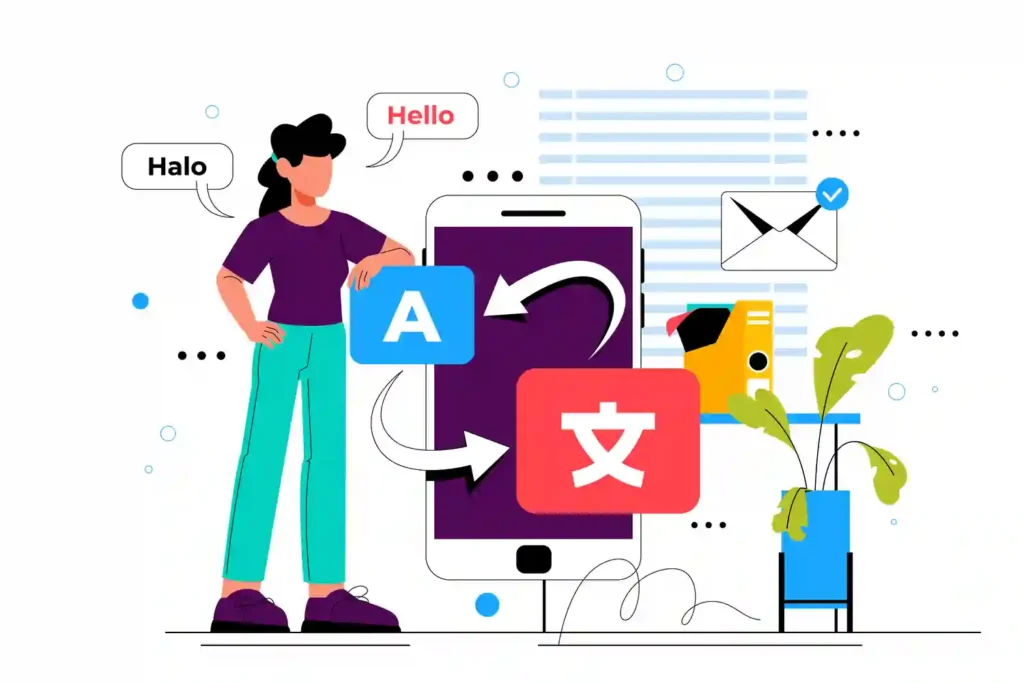
AI translation makes this expansion operationally viable. Translating a 100-page site manually takes weeks. The same site translated with AI takes hours. The speed advantage means businesses can test new language markets quickly and invest more deeply in the ones that generate returns.
SEO Benefits of Multilingual Websites
Hreflang tags tell Google which language version of a page to serve to which user. Without them, Google may show French-speaking visitors your English page or index the wrong language version entirely.
Language-specific URLs create separate indexable pages for each language version. These pages accumulate their own search visibility over time and appear in regional search results that your single-language site would never reach.
- Better international rankings from language-specific pages targeting regional keywords.
- Expanded organic traffic from search users who search in their native language.
- Improved regional search visibility through correct hreflang tag implementation.
- Better indexing with language-specific URLs that search engines can crawl and attribute correctly.
How AI Translation Supports Website Scalability?
Adding a new language without AI means weeks of manual work per language. AI translation reduces that to hours and makes scaling to five or ten languages operationally realistic for businesses that could not previously afford the time or cost.
For ecommerce sites with large product catalogs, the impact is even greater. Translating hundreds of product pages manually is cost-prohibitive for most businesses. AI makes it feasible and keeps translated content up to date as products are added or updated.
- Faster multilingual publishing that keeps translated content up to date without manual bottlenecks.
- Easier content localization at scale for sites with large content libraries or product catalogs.
- Lower translation costs compared to professional human translation for bulk content.
- Better scalability for ecommerce websites, adding new product lines or entering new markets.
Common Problems Businesses Face With AI Translation
These problems occur regularly, and each one affects either the quality of the translation experience or the site’s performance.
- Incorrect Translation Context: AI translates words accurately, but sometimes misses the intended meaning of idiomatic phrases, product names, or culturally specific references.
- Broken Layouts After Translation: Languages like German and Arabic can be significantly longer or written in a different direction than English, breaking fixed-width layouts not designed for multilingual content.
- Missing Translated Metadata: AI bulk translation sometimes skips title tags, meta descriptions, and alt text if the plugin is not configured to include SEO metadata in the translation scope.
- Slow Multilingual Performance: Some translation plugins add significant page weight by loading multiple language files on every request.
- Inconsistent Language Switching: Poorly configured language switchers send visitors to the homepage rather than the translated version of the page they were already on.
- Unreviewed AI-Generated Content: Publishing AI translations without any manual review means your brand is represented in other languages by content no human has read or approved.
Best Practices for AI Translation in WordPress
These practices consistently produce better translation quality, stronger multilingual SEO, and a more reliable experience for international visitors.
- Review Translations Manually: Prioritize your highest-traffic and most important conversion pages for human review, even if the rest is published directly from AI.
- Maintain Consistent Brand Tone: Use your plugin’s glossary feature to define how key brand terms and product names should be translated consistently across all languages.
- Use Fast Hosting for Multilingual Sites: Multilingual sites serve more pages and process more requests. Hosting that handles this load without performance degradation is essential.
- Keep Multilingual URLs Organized: Use a consistent subdirectory structure from the start. Changing URL structure after translated pages are indexed creates SEO problems that are difficult to resolve cleanly.
- Test Mobile UX Regularly: Text length varies significantly between languages. Test every language version on mobile devices after translation to catch layout breaks before visitors do.
- Optimize Translated SEO Metadata: Write language-specific title tags and meta descriptions for important pages that target the keywords your regional audiences actually use.
Conclusion
AI translation makes multilingual WordPress websites faster and more accessible than ever. What previously required weeks of manual work and significant budget now takes hours with the right plugin and a clear setup process.
The quality of the result still depends on how much human review you apply after AI does the heavy lifting. Businesses across the US, UK, Australia, and globally that combine AI translation speed with targeted manual refinement build multilingual sites that perform well in search and convert international visitors consistently.
FAQs About WordPress AI Translation
What is the best AI translation plugin for WordPress?
TranslatePress is the best option for most WordPress sites in 2026 because it combines AI automation with visual front-end editing. For complex multilingual sites and WooCommerce stores, WPML remains the most complete solution. For the fastest setup with minimal configuration, Weglot is the strongest choice.
Can AI translate WooCommerce websites automatically?
Yes. Plugins like TranslatePress and WPML automatically translate WooCommerce product titles, descriptions, attributes, categories, and checkout pages. Review checkout copy and payment-related messaging manually after AI translation to ensure accuracy and maintain customer trust at the point of purchase.
Do multilingual websites improve SEO?
Yes directly. Multilingual websites create additional indexed pages that rank for keyword searches in different languages. Correct hreflang implementation signals to search engines which language version serves which audience. Each translated page with optimized metadata is an independent ranking opportunity.
What are hreflang tags in WordPress?
Hreflang tags are HTML attributes in the head section of each page that tell search engines which language and regional audience a specific page is intended for. They prevent search engines from showing the wrong language version to users and ensure each translated page is attributed to the correct regional search results.
How accurate are AI website translations?
AI translation accuracy has improved significantly in 2026, with tools like DeepL and Google Translate handling straightforward content very well. Accuracy drops for idiomatic phrases, culturally specific references, and brand-specific terminology. Manual review of high-priority pages is always recommended.