
Security risks in WordPress sites often go unnoticed, even when an agency builds the website. You may assume the basics are covered, but small gaps can slip through during fast launches and tight timelines. Over time, these gaps turn into real security problems.
As you manage client websites, security is not just a one-time setup. Plugins update, users change, and new threats appear regularly.
If you don’t review security often, even a well-built WordPress site can become an easy target. This guide helps you spot the security risks agencies often miss.
TL;DR: WordPress Security Risks
- Outdated plugins and themes leave known security holes that attackers actively exploit.
- Weak login settings make it easier for brute force and credential attacks to succeed.
- Poor user access control increases the risk of accidental or unauthorized changes.
- Missing or unreliable backups turn small issues into long downtime and data loss.
- Lack of security monitoring allows malware and file changes to go unnoticed for weeks.
Security Risks in WordPress Sites Often Missed by Agencies
Here are some of the most crucial WordPress website security risks that often go unnoticed:
Outdated Plugins and Themes
Most WordPress security issues start here. Plugins and themes run the core features of a website, but they also need regular care. When updates stop or get delayed, security gaps open up quietly.
Many agencies assume updates are handled or that they are not urgent. However, outdated software is one of the first things attackers look for. Even one neglected plugin can put the entire site at risk.
Plugins and Themes That Are No Longer Maintained
Sometimes a plugin works fine, so it gets ignored. Over time, if you stop updating it, the plugin stays active on the site. That is where problems begin.
When a plugin or theme is no longer maintained, security flaws go unfixed. Hackers actively scan for these weak spots. If you don’t regularly review plugin health, you may not even realize the risk.
Security Risks Caused by Delayed Plugin and Theme Updates
Updates often get delayed to avoid breaking the site. While that feels safe, it can do more harm than good.
When you do not update the plugins and themes, they sit pending for weeks or months, and known vulnerabilities remain open.
As a result, attackers can exploit them easily. Regular, tested updates help you stay protected without compromising stability.
Installed but Inactive Plugins Still Put Sites at Risk
Inactive plugins do not mean that they are harmless. Many inactive plugins remain in the WordPress system and can be accessed if they have vulnerabilities.
These plugins increase the attack surface and add unnecessary risk. Removing unused plugins is a simple step that makes a real security difference.
Protect Your Website From Hidden Security Risks
Security risks in WordPress often go unnoticed until real damage happens. Ongoing website care helps you stay secure and updated.
Weak Login and Authentication Security
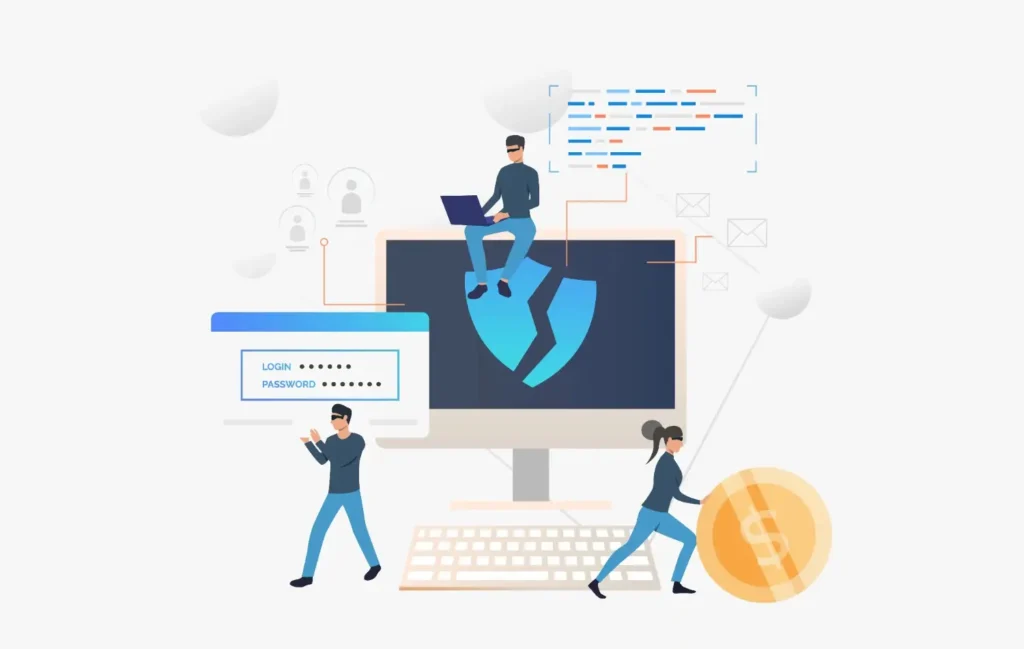
Login security is one of the most common weak points in WordPress sites. Many agencies set up the site, hand it over, and never revisit the login settings. This creates an easy entry point for attackers.
If someone gains access through the login page, they can change content, install malware, or lock the owner out completely. That is why login security needs ongoing attention, not just a quick setup during launch.
The WordPress Login Page is Easy to Target
By default, every WordPress site uses the same login URL and structure. Attackers know exactly where to go and what to test.
If you use simple, reused usernames across sites, the risk increases further. Even one weak account can expose the entire site. Changing basic login habits already reduces the number of automated attacks.
Passwords and Two Factor Authentication
Earlier, passwords used to be enough, but now they are not. People reuse them, store them insecurely, or share them without realizing the risk.
Adding a second verification step makes login attacks much harder to succeed. Even if a password gets compromised, the extra step stops unauthorized access. This single change blocks a large percentage of real-world attacks.
Unlimited Login Attempts Create Constant Risk
When a site allows unlimited login attempts, attackers can keep trying again and again. These attempts often happen automatically, without anyone noticing.
Over time, this increases the chance of a successful break-in and puts unnecessary load on the server. Limiting login attempts slows attacks down and protects both security and performance. It is a simple safeguard that prevents a common problem.
Missing or Incomplete Backup Strategy
Backups are supposed to protect you when something breaks. Yet many WordPress sites run on weak or incomplete backup setups without realizing the risk. This usually comes from assumptions, not intent.
When backups are missing or poorly managed, even a small issue can lead to major data loss. A reliable backup strategy gives you control when things go wrong.

Depending Only on Hosting Backups
Many sites rely fully on hosting backups because they are easy and already included. However, hosting backups often have limits, such as short retention periods or shared storage locations.
If the server fails, gets hacked, or data becomes corrupted, those backups may not be usable. Using a separate backup solution reduces dependency on a single system and adds an extra layer of safety.
No Regular Backups
Some websites back up only once a week or before updates. This leaves large gaps where content changes, orders, or leads can be lost without recovery.
If a site updates regularly, backups should match that activity. More frequent backups reduce data loss and make recovery faster and less stressful.
Never Testing Backups
Many teams assume backups work because they exist. The problem shows up when a restore is needed and no one knows the steps or the backup fails.
Without testing, backups become unreliable in real situations. Regular restore testing ensures backups are usable and recovery does not turn into guesswork during emergencies.
No Ongoing Security Monitoring
Security threats do not pause after a website goes live. WordPress sites change every day through updates, new plugins, and user activity. Without ongoing monitoring, these changes can introduce risks without anyone noticing.
When no one actively watches the site, issues build quietly in the background. Monitoring helps you catch problems early, before they affect users or search rankings.
Security is Treated as a One-Time Setup
Many WordPress sites install security tools during launch and never revisit them. Over time, plugins update, settings reset, and new vulnerabilities appear.
Without regular checks, security tools become outdated and less effective. Reviewing security settings regularly helps ensure protection keeps up with changes.
Malware and File Changes Stay Hidden
Malware does not always break a website immediately. Files can be altered slowly while the site continues to load normally for visitors.
Without tracking file changes and suspicious behavior, these threats remain invisible. Monitoring helps you detect unusual activity before it spreads further.
No Alerts to Flag Suspicious Activity
If alerts are not enabled, security issues go unnoticed until serious damage occurs. Often, the first sign is a traffic drop or a warning from the host.
Real-time alerts allow faster response. They help you act early, limit damage, and keep the website secure without waiting for visible problems.
Insecure Hosting and Server Configuration
WordPress security does not live only inside plugins and dashboards. The hosting environment plays a huge role in how safe a site really is. When hosting and server settings are weak, even a well-maintained site can stay exposed.
Many agencies assume hosting providers handle security by default. In reality, several critical protections still need review and configuration.
Shared Hosting Increases Security Exposure
Shared hosting means many websites live on the same server. If one site gets compromised, others on the same server can be affected too.
This setup increases risk, especially when sites share resources or permissions. Without proper isolation, security issues can spread faster than expected.
Firewalls and Web Application Protection Are Missing or Misconfigured
Firewalls and WAF protection help block malicious traffic before it reaches WordPress. When these layers are missing or poorly configured, attacks reach the site directly.
Without this protection, login attacks, bot traffic, and common exploits become harder to control. A properly configured firewall adds an important first line of defense.
File and Folder Permissions Are Set Incorrectly
File and folder permissions control who can read, write, or execute files on the server. When permissions are too open, attackers get more room to cause damage.
Incorrect permissions can allow file changes, malware uploads, or unauthorized access. Reviewing and tightening these settings helps limit how far an attack can go.
Why Agencies Commonly Miss These Security Risks?
You often miss security risks because focus shifts after launch. Once the site is live, attention moves to delivery, campaigns, or new projects. Security checks slowly drop out of the routine.
Over time, security gets assumed instead of reviewed. Plugins, hosting setups, and old configurations are trusted to keep working on their own. Without regular checks, small gaps stay hidden and quietly grow.
In many cases, security has no clear owner after handoff. When it is not part of an ongoing process, it only gets attention after an issue shows up.
Here’s how agencies can reduce WordPress security gaps:
- You can reduce most security risks by integrating security into regular maintenance. Simple, scheduled checks help you catch issues early and fix them before they cause damage.
- When you consistently review updates, user access, backups, and monitoring, security stays under control. You don’t need complex tools. You need steady habits.
- If time or technical depth is limited, you can work with a WordPress maintenance or security partner. This keeps client sites protected while you stay focused on strategy and results.
Conclusion
WordPress security issues usually start small. A missed update, an unused plugin, or a setting that never gets reviewed. Over time, these small gaps add up and put client websites at risk.
When you treat security as ongoing work, you stay ahead of problems instead of reacting late. Regular checks help you protect data, performance, and trust without waiting for something to break.
Strong security does not require complex systems. It requires attention, consistency, and clear ownership. That is what keeps WordPress sites stable and secure in the long run.
FAQs About WordPress Security Risks
What is the biggest security risk in WordPress sites?
Outdated plugins and themes are the biggest security risk because they often contain known vulnerabilities that attackers actively target once updates stop.
How often should WordPress security checks be done?
You should review WordPress security at least once a month, while high-traffic or business-critical websites benefit from weekly checks and continuous monitoring.
Are plugins the main reason WordPress sites get hacked?
Plugins are a common entry point, especially when they are outdated or abandoned, but weak login security and poor access control also play a major role.
Is WordPress security a one-time setup?
No, WordPress security requires ongoing checks because updates, new users, and content changes can introduce new risks over time.
Do hosting providers fully secure WordPress websites?
Hosting providers offer basic protection, but you still need to manage updates, user access, backups, and security monitoring at the site level.
Can small WordPress sites also get hacked?
Yes, attackers often target small websites because they are less monitored, making them easier to exploit regardless of traffic size.


