

If you manage a WordPress site, understanding Common Vulnerabilities and Exposures (CVE) is no longer optional. By recognizing these vulnerabilities, one can prevent the site from being compromised through known flaws. Consequently, regularly monitoring and addressing CVEs ensures the site remains protected.
TL;DR: What You Need to Know Before We Dive in
- CVEs are unique identifiers assigned to known security flaws in WordPress core, plugins, and themes.
- In 2024, security researchers discovered 7,966 new WordPress vulnerabilities, averaging 22 every single day.
- Plugins account for 96% of all WordPress CVEs, making them the biggest attack surface on your site.
- Cross-site scripting (XSS), SQL injection, and privilege escalation are the most common vulnerability types exploited in the wild.
- Once a CVE goes public, automated exploitation attempts can begin within hours of disclosure.
- Keeping everything updated, removing unused plugins, and running a vulnerability scanner are the three most effective defenses any site owner can apply today.
What is a CVE and Why Should WordPress Site Owners Care?
A CVE, short for Common Vulnerabilities and Exposures, is a unique identifier assigned to a known security flaw in software. Each entry in the CVE system includes a standardized ID, a severity score, and a description of the specific risk it poses.
The system is maintained by the MITRE Corporation and used globally by security researchers, plugin developers, hosting providers, and security tools to track vulnerabilities and coordinate responses.
Think of it as a universal reference number for a security problem. When a plugin is patched, a host sends a security alert, or a WAF blocks an attack, CVEs are the common reference behind it all.
Who Discovers and Reports CVEs in WordPress?
Security researchers, ethical hackers, and plugin developers all contribute to the CVE pipeline.
Platforms like Patchstack, and WPScan are authorized CVE Numbering Authorities (CNAs), meaning they can formally assign CVE IDs to new vulnerabilities in the WordPress ecosystem.
Once verified, vulnerabilities are published in public databases where security researchers and developers can review the details.
A short disclosure window allows developers time to release patches before attackers can widely exploit the vulnerability.
Once the CVE becomes public, automated tools begin scanning the internet for vulnerable WordPress sites within hours.
Found a WordPress Vulnerability? Fix it Fast!
Seahawk identifies threats, cleans hacked files, and secures your WordPress website to prevent further attacks.
How to Read a CVE Report Without a Security Degree?
When your hosting provider, security plugin, or monitoring tool sends a CVE report, the key fields tell you everything you need to act. Here is what each one means.
The CVE ID and Where to Look it Up
The CVE ID is a unique identifier formatted as CVE-[year]-[number].
You can paste it directly into the National Vulnerability Database (nvd.nist.gov), WPScan, or Wordfence Intelligence to find detailed information about the vulnerability, including technical write-ups, proof-of-concept notes, and researcher disclosures.
CVSS Score and Risk Classification
The CVSS score runs from 1.0 to 10.0 and reflects the severity and exploitability of the vulnerability. Here is a quick breakdown:
- 0.1 to 3.9 (Low): Monitor and patch in your next routine maintenance window.
- 4.0 to 6.9 (Medium): Plan to patch within a few days. Do not let this sit.
- 7.0 to 8.9 (High): Patch within 24 to 48 hours. Exploitation attempts may already be in progress.
- 9.0 to 10.0 (Critical): Treat this as an emergency. For critical vulnerabilities, automated exploit tools are often deployed within hours of public disclosure.
Affected Version vs Fixed Version
This is the single most actionable piece of information in any CVE report. If your installed version falls within the affected range, update immediately to the fixed version or any later one.
If the report lists no fixed version, that means the vulnerability is currently unpatched. In that case, deactivate and delete the plugin entirely until a patch is released. Do not leave it active while waiting.
How Attackers Actually Exploit WordPress CVEs?
Understanding how exploitation works is what turns awareness into urgency. WordPress CVE exploitation is almost never a targeted, manual attack. It is automated, fast, and operates at massive scale.
The typical attack chain looks like this:
- A CVE is publicly disclosed for a popular WordPress plugin.
- Within hours, automated scanners begin probing millions of WordPress sites to identify which ones are running the vulnerable version.
- Exploit scripts fire known payloads against every identified vulnerable site simultaneously.
- Successfully compromised sites receive a backdoor through a hidden file upload, a rogue admin account, or a direct database modification.
- The attacker monetizes access through SEO spam injection, credential harvesting, phishing page hosting, or cryptomining.
According to Patchstack, the window between public CVE disclosure and mass exploitation attempts can be as short as a few hours for critical vulnerabilities.
Patch adoption among site owners, on the other hand, takes days or weeks. That gap is where attacks happen, and it is why monitoring and fast response matter more than any single security tool.
The Most Common Types of WordPress CVEs (and What Each One Does to Your Site)
Not all CVEs work the same way. The vulnerability type tells you exactly how an attacker gets in and what damage they can do once they are inside. Here are the types that appear most consistently across WordPress security databases.
WordPress CVEs #1: Cross-Site Scripting (XSS)
XSS vulnerabilities are the most frequently reported security issues in WordPress, accounting for a large share of all plugin CVEs year over year.
They occur when user-supplied input is not properly sanitized before being rendered on a page, allowing attackers to inject malicious scripts into your site’s content.
In a stored XSS attack, the injected script is saved to the database and runs in the browser of any visitor or administrator who loads the affected page.
In a reflected XSS attack, the malicious payload is embedded in a crafted URL and executes immediately when someone clicks the link.
What can an attacker do with a successful XSS exploit? Quite a lot:
- Steal admin session cookies and take control of administrative accounts
- Redirect visitors to phishing pages or drive-by malware downloads
- Inject hidden links and content for SEO spam
- Silently trigger actions on behalf of a logged-in admin, such as creating new users with elevated access
XSS vulnerabilities are particularly dangerous when they can be triggered by unauthenticated users, meaning no login is required to launch the attack at scale.
WordPress CVEs #2: SQL Injection
Every WordPress site runs on a database. SQL injection exploits happen when an attacker inserts unauthorized database commands through a vulnerable input field, URL parameter, or API endpoint.
If the plugin or theme is not properly sanitizing that input before passing it to the database, the attacker effectively writes their own database queries.
The consequences are severe:
- Extraction of usernames, email addresses, and hashed passwords from the database
- Modification or deletion of posts, pages, and site data
- In some configurations, full remote access to the web server
The Events Calendar plugin, with millions of active installs, was found to contain a SQL injection flaw where unauthenticated attackers could extract sensitive data by crafting specific requests.
Exploits like this are routinely automated, meaning bots scan thousands of sites simultaneously looking for a vulnerable version.
WordPress CVEs #3: Authentication Bypass and Privilege Escalation
These two vulnerability types are closely related but work differently.
Authentication bypass allows attackers to skip the login process entirely, gaining access to protected areas of the WordPress admin without valid credentials.
Privilege escalation means an attacker who already has a low-level account (such as a subscriber-level user) can elevate their own permissions to administrator level.
Both lead to the same outcome: full control of your site. From there, attackers can install plugins, delete content, create persistent backdoor accounts, modify custom code in your theme files, and lock out the legitimate site owner.
Privilege escalation vulnerability is particularly common in plugins that handle user roles or membership tiers, since those plugins often include logic for changing user access levels that can be manipulated if input is not validated correctly.
WordPress CVEs #4: Cross-Site Request Forgery (CSRF)
CSRF exploits work by tricking an authenticated attacker target (typically a logged-in admin) into unknowingly performing a harmful action on your WordPress site.
The attacker crafts a malicious link or embeds a hidden request in an external page. When the admin visits it, the browser silently submits a request to your site as if the admin initiated it.
Common outcomes of a CSRF exploitation attempt include:
- Changing core site settings without the admin’s knowledge
- Installing malicious plugins or removing security tools
- Modifying user roles or resetting passwords for administrative accounts
CSRF vulnerabilities are often rated Medium severity, but that rating understates the real risk. An admin clicking a link in a targeted phishing email is a completely realistic attack vector, and the damage can be significant.
WordPress CVEs #5: Arbitrary File Upload and Remote Code Execution (RCE)
These are among the most critical vulnerabilities in the entire WordPress ecosystem. When a plugin does not properly validate the file types it accepts, unauthenticated attackers can upload arbitrary files to your web server, including PHP scripts disguised as images or documents.
Once a malicious file is on the server, the attacker can execute code directly. This is called Remote Code Execution, and it gives them essentially the same level of access as someone sitting at the server console.
From here, attackers can:
- Deploy backdoors that survive plugin removal and site reinstalls
- Move laterally across other sites on the same shared hosting account
- Access sensitive data stored on the web server outside of WordPress
- Use your server to host phishing pages or launch attacks on other systems
The WP File Manager plugin, installed on over 700,000 WordPress sites, contained exactly this type of flaw. Unauthenticated users could upload PHP backdoor files and gain complete server access. Its CVSS score was 9.9 out of 10, placing it firmly in the critical category.
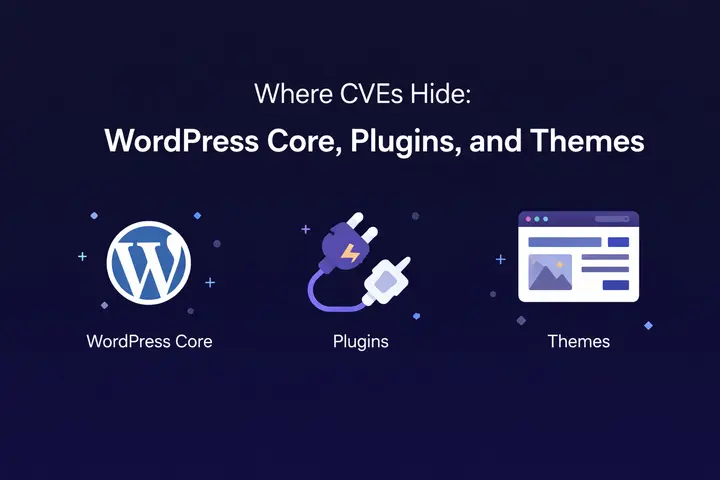
Where CVEs Hide: WordPress Core, Plugins, and Themes
WordPress is built in layers, and so is its attack surface. Understanding which layer a vulnerability lives in tells you exactly how fast you need to act and where to focus your security efforts.
WordPress Core Vulnerabilities
WordPress core is actively maintained by a dedicated team with a rapid patching process.
Core vulnerabilities do occur and can be serious, but they are addressed quickly and minor version updates are pushed automatically to most sites. In 2024, only seven vulnerabilities were discovered in WordPress core.
The risk surface here is comparatively small, though it should never be ignored. Keeping your WordPress installation on a current version is still a non-negotiable baseline.
Plugins: The Largest Attack Surface by Far
WordPress plugins represent the biggest security risk for site owners by a wide margin. In 2024, plugins accounted for 96% of all newly discovered WordPress vulnerabilities.
With over 59,000 plugins in the official repository and thousands more sold commercially, the range in code quality and security practices is enormous.
Popular plugins with large install counts are not automatically safer. They are simply higher-profile targets, which means security researchers and attackers alike scrutinize them more closely.
Many plugin have all had documented CVEs despite their widespread use and professional development teams.
A plugin with 600,000 active installs and a critical vulnerability is a massive opportunity for an attacker, since a single working exploit can be deployed across a huge number of sites simultaneously.
The specific risk is even higher with plugins that handle file uploads, user roles, payment data, or direct database queries, since those functions require especially careful input validation and access control to implement securely.
Themes
Themes are a less visible but very real part of the attack surface. XSS vulnerabilities in theme template files, path traversal flaws, and broken access controls in theme settings panels all appear regularly in CVE databases.
Custom code in premium or custom-built themes is particularly prone to security issues, since it rarely goes through the same formal security audit process that major plugins receive.
If you are running a theme that has not been updated in over a year, it is worth checking its CVE history in WPScan or Wordfence before assuming it is safe.
How to Stay Ahead of WordPress CVEs?
Protecting your WordPress site from CVE-based attacks does not require a security engineering background. It requires consistent habits and the right security tools working together.
Keep WordPress Core, Plugins, and Themes Updated
The most effective thing you can do is stay current. Most successfully exploited vulnerabilities target software with a patch already available that simply has not been applied.
Enable automatic updates for minor WordPress core releases. Review plugin update notifications promptly rather than letting them accumulate for weeks.
When an update changelog mentions a security fix or references a CVE ID directly, treat that update as urgent. Developers rarely call out specific CVEs unless the fix is significant.
Use a Vulnerability Scanner That Monitors Your Stack
Security tools like Patchstack, Wordfence, and SolidWP Security actively compare your installed plugins and themes against known CVE databases.
When a new vulnerability is discovered that affects something on your site, they alert you immediately rather than waiting for you to discover it yourself.
Patchstack also offers virtual patching, which deploys a firewall rule to block exploitation attempts for a known vulnerability before the official patch has been applied.
This is especially valuable for closing the gap between CVE disclosure and the moment you are able to safely update your production site.
Remove Everything You Are Not Actively Using
Every inactive plugin and unused theme is a potential entry point. Some vulnerability types can be triggered through deactivated plugins depending on how WordPress loads files.
The safest approach is simple: if you do not actively use it, delete it. Every plugin you remove is an attack surface that no longer exists.
Deploy a Web Application Firewall (WAF)
A WAF filters incoming requests before they reach your WordPress application, blocking patterns that match known exploit payloads.
A properly configured WAF can stop XSS attacks, SQL injection strings, malicious file uploads, and CSRF exploitation attempts before they interact with your site’s code or database.
Application-layer WAFs that are WordPress-aware (such as those from Wordfence or Patchstack) are more effective than generic CDN-level firewalls, because they understand your specific plugin and theme configuration and can apply rules targeted to your exact vulnerability exposure.
Conclusion
Common Vulnerabilities and Exposures in WordPress are a constant, well-documented, and fast-moving reality for every site owner.
With nearly 8,000 new vulnerabilities discovered in a single year and exploitation attempts beginning within hours of public disclosure, the gap between knowing and acting is where most compromises happen.
Keep WordPress core, plugins, and themes updated. Remove unused tools, monitor vulnerabilities, and use a WAF for protection. These simple habits can prevent your site from becoming part of the next large-scale exploitation wave.
FAQs About CVEs in WordPress
What should I do if a CVE has no fix available yet?
Deactivate and delete the affected plugin or theme immediately. Do not leave it active while waiting for a patch. If you need a temporary layer of protection in the meantime, a WAF with virtual patching like Patchstack can block known exploitation attempts for that specific CVE until the official fix is released.
How do I know if my WordPress site Is affected by a CVE?
Run a vulnerability scanner like Wordfence, Patchstack, or Solid Security. These tools compare your installed plugins, themes, and WordPress core version against live CVE databases and flag anything that matches a known vulnerability in your current setup.
What is the difference between a vulnerability and a CVE?
A vulnerability is any security weakness in software. A CVE is what it becomes once formally verified and assigned a unique identifier by an authorized body like MITRE or Patchstack. Every CVE is a vulnerability, but not every vulnerability has a CVE assigned to it yet.


