Managing local SEO for multiple locations is one of the most challenging things a growing business faces online. Each location needs its own strategy, content, and presence in local search results. A one-size-fits-all approach simply doesn’t work.
Get it right, and every location ranks in its own market, drives its own traffic, and converts its own customers. This guide covers exactly how to build that strategy from the ground up.
Businesses with multiple locations can improve local search visibility by creating dedicated location pages, optimizing Google Business Profiles, maintaining NAP consistency, building local citations, and creating location-specific content for each service area.
Why Local SEO Gets More Complicated With Multiple Locations?
Single-location SEO is manageable. You optimize one Google Business Profile, build citations for one address, and target one city. Add a second location and every task multiplies, along with the risk of inconsistencies.
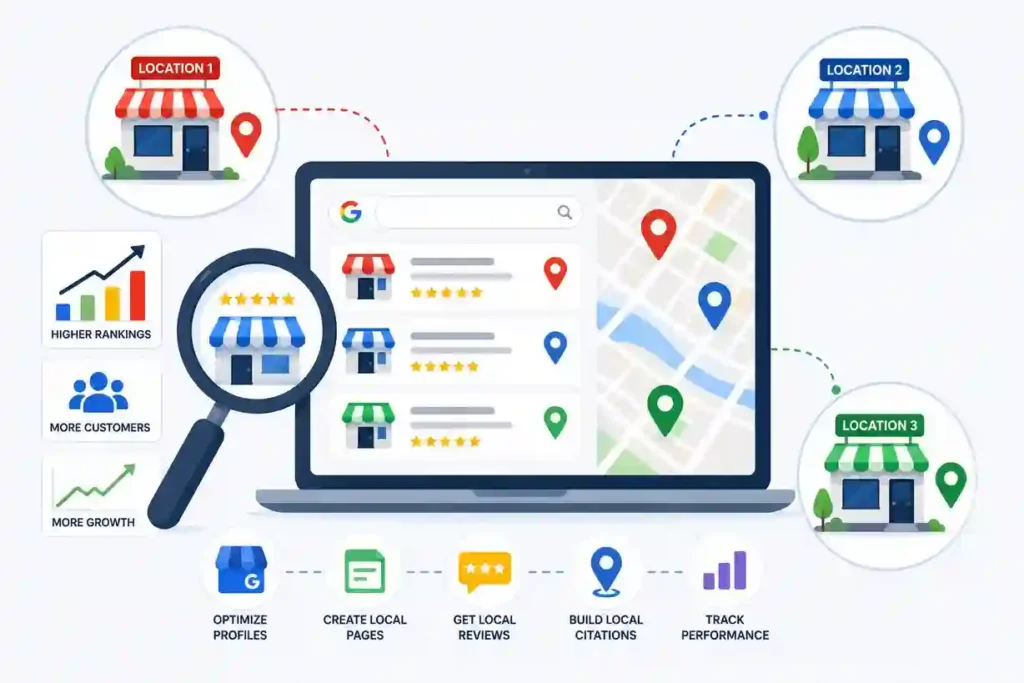
Every location operates in its own market, with its own competitors and audience. One campaign applied across all branches rarely works well for any of them.
- Multiple Locations Compete for Visibility: Without individual optimization, your locations compete against each other in search results instead of dominating their own markets.
- Local Rankings Vary by Geography: A strong ranking in one city tells you nothing about performance in another. Each market needs separate tracking.
- Consistent Business Information is Harder to Maintain: More locations mean more opportunities for outdated addresses, wrong numbers, and mismatched listings.
- Each Location Needs Individual Optimization: Generic content and shared pages don’t give search engines enough signals to rank individual branches in local results.
- Search Intent Differs Across Locations: Customers in different cities search differently and have different expectations based on their local market.
Get Your Google Business Profiles Optimized Across Every Location.
Our GBP optimization service covers profile setup, NAP accuracy, review management, and performance tracking for every branch you operate.
Build Location Pages That Rank in Local Search
Location pages are the foundation of any multi-location SEO strategy. They give search engines a dedicated page for each branch and give customers a relevant landing page that matches their local search intent.
A well-built location page does more than list an address. It tells search engines where you operate, what you offer in that area, and why local customers should choose you.
Create a Dedicated Page for Every Location
Every location needs its own standalone page with a unique URL and local contact details that match your Google Business Profile exactly. Combining multiple branches onto one page leaves significant ranking potential untapped.
- One Page per City: Give every location its own dedicated URL rather than listing all branches on a single shared page.
- Unique Location URLs: Structure URLs clearly, for example, yourdomain.com/locations/chicago, so search engines and visitors can navigate easily.
- Store-Specific Information: Include details unique to that location, such as parking, local team members, or location-specific services.
- Local Contact Details: Display the exact address, phone number, and hours for that branch, not your general headquarters information.
Add Location-Specific Content
The most common mistake with location pages is copying the same content across every page and swapping the city name. Search engines flag this as thin or duplicate content, and it actively hurts your rankings.
Each page needs genuinely unique content that reflects the specific service area. Mention local services relevant to that area, address specific customer needs in that city, include community involvement, such as local sponsorships or events, and feature testimonials from customers in that location.
These elements combine to create a page that feels genuinely local rather than templated.
Optimize Every Location Page for SEO
Every element from the title tag to the internal link structure needs clear location signals. Without proper on-page optimization, even a well-written location page won’t rank for the local searches you’re targeting.
Use city and region-specific keywords naturally throughout the copy and headings. Write unique title tags for each page that include the primary service and city name. Add location-specific meta descriptions that give local customers a reason to click. Link between location pages and relevant service pages to build internal authority across your site.
Optimize Google Business Profiles for Every Location
Your Google Business Profile is often the first thing a local customer sees. For multi-location businesses, every location needs its own fully optimized profile. An incomplete or inconsistent profile directly hurts your visibility in the local pack.
A fully optimized profile for each location increases your chances of appearing in the map pack and drives calls, direction requests, and conversions.
Complete Every Business Profile
An incomplete profile sends weak signals to search engines and gives potential customers less reason to choose you. Every location’s profile must be completed with accurate, up-to-date information.
Select the most accurate primary category and add relevant secondary categories for each location. Add every service that location provides so Google can surface your profile for relevant local searches.
Keep hours accurate, including special hours for holidays. Always add the direct phone number and website URL for that specific location, not a general company number.
Keep Information Consistent
Inconsistent information across profiles confuses search engines and customers. If your business name appears differently across profiles or your address uses different formatting, it creates trust issues that suppress local rankings.
Every profile must use exactly the same business name, address format, and contact details as those on your website and citations. Use a unique local number for each location rather than a shared national number. Link each profile to the specific location page on your website, not your homepage.
Improve Engagement Signals
Google uses engagement signals from your Business Profile to assess how relevant and trustworthy your business is for local searches. Profiles with regular activity, strong reviews, and complete photo galleries consistently outperform those that are neglected.
- Customer Reviews: Actively encourage customers at each location to leave reviews so every profile builds its own review history.
- Photos: Upload high-quality photos of each location, including the exterior, interior, team, and products or services.
- Updates and Posts: Use Google Posts to share location-specific offers, news, or events relevant to customers in that area.
- Q&A Management: Monitor and promptly answer questions for each profile so potential customers get accurate information directly from you.
Keep NAP Information Consistent Across the Web
NAP stands for name, address, and phone number. It’s one of the most fundamental signals in local SEO and one of the easiest to get wrong at scale. Every inconsistency across the web weakens the local authority signals Google uses to rank your locations.
For multi-location businesses, NAP consistency means that every mention of every location across every directory, social profile, and review platform must match exactly.
Where NAP Consistency Matters?
NAP inconsistencies can appear anywhere your business is mentioned online. Prioritize the major directories and platforms first, then work through industry-specific and local listings.
- Business Directories: Yelp, Yellow Pages, Apple Maps, and Bing Places need identical information for every location.
- Social Profiles: Facebook, Instagram, LinkedIn, and X profiles for each location should match your Google Business Profile and website exactly.
- Local Citations: Industry directories, chamber of commerce listings, and niche platforms all contribute to local authority when consistent.
- Review Websites: Platforms where customers leave reviews often display business information independently and must be kept up to date.
Common NAP Mistakes
Small inconsistencies that seem minor can have a measurable impact on local rankings. Using a general company number for some listings and a local number for others creates confusion for search engines. Old addresses that weren’t updated across all directories continue sending conflicting signals long after a move.
Abbreviations like St. versus Street or Ave versus Avenue get treated as different entities. Duplicate profiles for the same location split your authority and dilute your local signals.
How to Audit Business Information?
A NAP audit checks every place your business appears online and identifies inconsistencies that need correcting. For multi-location businesses, this should happen at least twice a year.
Use a tool like BrightLocal to run a citation audit across all locations and surface all inconsistencies in a single report. Manually verify your top directories for each location to catch anything automated tools miss. Check that review platforms display the most up-to-date information, as this is often overlooked.
Work through every flagged inconsistency and update each listing to match your confirmed accurate information.
Create Local Content for Every Service Area
Content is what turns a technically optimized location page into one that genuinely ranks and converts. Search engines reward pages that demonstrate real local relevance, not just pages that mention a city name a few times.
Creating location-specific content at scale takes time, but it’s one of the highest-return activities in multi-location SEO.
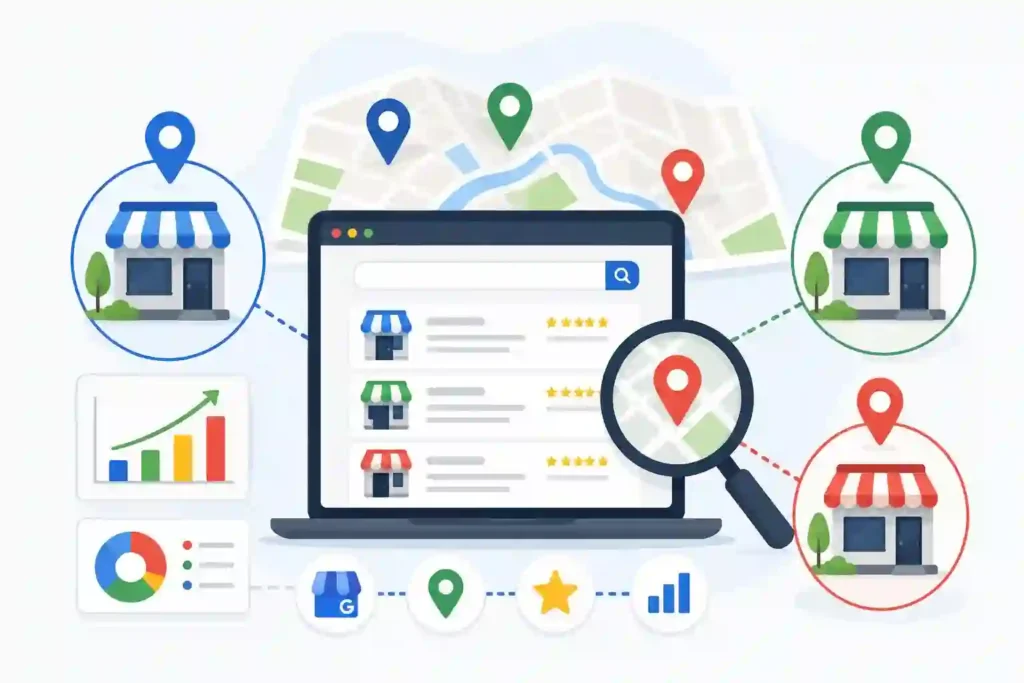
Publish Location-Specific Blog Content
Blog content targeted at specific locations helps you capture informational searches from people in your service areas who are actively researching. It also builds topical authority, strengthening your location pages over time.
Write about local events or seasonal activities in each city that connect naturally to your products or services. Cover local developments or city projects relevant to your customer base. Address trends or challenges specific to the local market. Feature case studies from customers in that city to lend your content genuine local credibility.
Build City-Specific Service Pages
City-specific service pages let you target the intersection of a specific service and a specific location. A plumber in Chicago doesn’t just need a Chicago location page. They need a Chicago emergency plumbing page, a Chicago drain cleaning page, and so on.
Each additional page expands your local search footprint and captures more of the specific searches your potential customers actually make.
- Target Local Searches: Build pages around service-plus-city keyword combinations that your customers search for in each location.
- Address Local Needs: Tailor content to reflect the specific concerns or requirements of customers in that city.
- Showcase Local Expertise: Include location-specific details and examples that demonstrate genuine knowledge of the local market.
- Improve Relevance: The more precisely a page matches a local search query, the more likely it is to rank for that query in that area.
Use Local Entities and Landmarks
Mentioning local landmarks, neighborhoods, organizations, and community references adds geographic context, strengthening the local relevance of your pages. Search engines use these signals to verify that a page genuinely relates to a specific location.
Reference the specific neighborhoods your location serves. Mention well-known local landmarks naturally. Include partnerships or connections to local business associations or charities. Reference local schools, sports teams, annual events, or cultural institutions your target audience identifies with. These details make your pages feel genuinely local rather than generic.
Earn Reviews That Improve Rankings Across Locations
Reviews are one of the strongest ranking signals in local SEO. A location with a consistent stream of positive reviews regularly outperforms competitors in the local pack, even when other factors are similar.
Most customers don’t think to leave reviews unless you ask. A systematic review generation process across every location is what makes the difference.
Ask Customers for Reviews Consistently
The most effective review strategies make it as easy as possible for a satisfied customer to leave a review right after a positive experience. Timing and convenience matter most here.
- Email Requests: Send a follow-up email after every transaction with a direct link to that location’s Google Business Profile review page.
- SMS Follow-Ups: Text messages have significantly higher open rates than email, and a direct review link via SMS gets far more responses.
- QR Code Review Requests: Place QR codes at each location’s checkout or service area that take customers directly to the review page.
- In-Store Prompts: Train staff at each location to ask satisfied customers directly for a review as part of the standard experience.
Manage Reviews for Multiple Locations
Review management at scale requires a system. Without one, negative reviews go unaddressed, and your local reputation suffers across locations you’re not actively monitoring.
Use a review management tool that aggregates all your location reviews into a single dashboard. Set up alerts for every location so you’re notified immediately when a new review is posted. Respond to every review within 24 to 48 hours.
Address negative reviews professionally and offer to resolve issues offline. Acknowledge positive reviews with a genuine response that mentions the specific location.
Use Reviews to Strengthen Local Trust
Reviews do more than boost rankings. They directly influence whether a potential customer chooses your location over a competitor. Strategically showcasing reviews on each location page turns social proof into a conversion tool.
Feature strong location-specific reviews directly on each location page. Pull specific praise about your team or service quality and highlight it prominently.
A location page showing real reviews from verified local customers is far more trustworthy than one with generic copy alone and significantly more likely to convert a local visitor into a paying customer.
Local SEO Mistakes That Hurt Multi-Location Businesses
Even businesses with strong SEO foundations make predictable mistakes when scaling to multiple locations. These errors quietly suppress rankings and prevent individual locations from reaching their full local search potential.
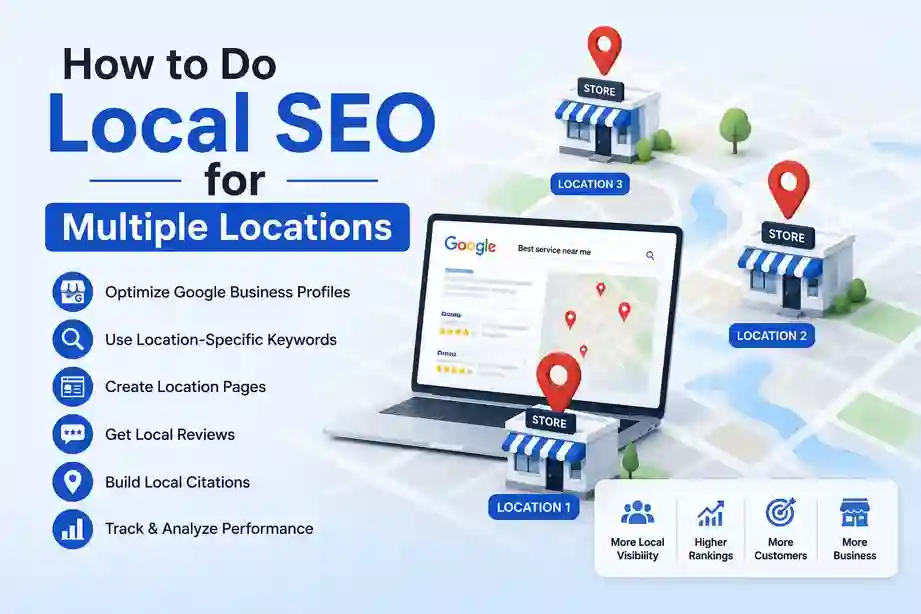
Knowing what to avoid saves you from diagnosing and undoing damage months down the line.
Creating Duplicate Location Pages
Copying the same content across multiple pages and swapping the city name can flag the pages as thin or duplicate content to search engines. Every location page needs to be substantively different in content, examples, testimonials, and local references.
- Reused Content: Copying body copy across location pages and changing only the city name creates duplicate content that hurts your ability to rank.
- Thin Pages: Location pages with minimal content provide no value to search engines or visitors and rarely rank for competitive local queries.
- Cannibalization Risks: Near-duplicate location pages compete for the same queries, splitting authority and reducing ranking potential across them.
Ignoring Individual Location Optimization
Treating all locations as one entity and applying a single strategy means none get the individual attention needed to rank competitively in their own market.
Using the same service descriptions across every location signals low local relevance in every market you operate in. Pages that don’t reference the specific city, neighborhoods, or local community fail to establish the geographic authority needed to rank.
Every location you fail to optimize properly loses potential customers to locally optimized competitors every single day.
Poor Listing Management
Neglecting your business listings across directories and review platforms undermines every other local SEO effort you make.
- Duplicate Profiles: Multiple Google Business Profiles for the same location dilute your reviews and authority and confuse search engines and customers alike.
- Inconsistent Data: Addresses, phone numbers, and business names that vary across listings weaken the trust signals local SEO depends on.
- Unclaimed Listings: Listings you haven’t claimed can display outdated information and miss the engagement signals that active management provides.
Best Tools for Managing Multi-Location Local SEO
Managing local SEO across multiple locations without the right tools leads to missed updates, inconsistent listings, and blind spots in your performance data. These tools handle the heavy lifting at scale.
| Tool | Best For | Benefit |
|---|---|---|
| Google Business Profile | Local visibility | Manage listings directly. |
| BrightLocal | Citation management | Local SEO tracking across locations. |
| Semrush Local | Multi-location SEO | Listing management at scale. |
| Whitespark | Citation building | Build local authority systematically. |
| Google Search Console | Performance tracking | SEO insights for every location. |
How to Measure Multi-Location Local SEO Success?
Tracking the right metrics across every location tells you which markets are performing well, which need more attention, and where your biggest opportunities still exist.
Set up location-specific tracking from the start so you always have clean, comparable data for every branch.
Track Local Rankings
Local rankings need to be tracked at the city level for each location independently. A single national ranking report tells you nothing useful about how individual branches perform in their specific markets.
Use a tool like BrightLocal or Semrush Local to track city-specific keyword rankings and local pack visibility for every location separately. Monitor how often each location appears in the Google map pack since pack visibility drives the majority of local clicks.
Track organic rankings for each location’s pages separately from local pack performance to get a complete picture of visibility in each market.
Monitor Business Profile Performance
Google Business Profile insights provide location-level data on how customers find and interact with each listing. Review profile performance for every location monthly and use the data to identify which profiles need more attention.
- Calls: Track how many calls each location receives directly from its Google Business Profile to measure phone conversion performance.
- Directions: Monitor direction requests by location to understand which branches customers are actively trying to visit.
- Website Clicks: Track clicks from each profile to its specific location page to measure how well your profile drives traffic.
Measure Conversion Growth
Rankings and profile views are leading indicators, but conversions are what actually matter. Track the outcomes that reflect real business impact for every location.
- Leads: Track form submissions, calls, and contact requests attributed to each location separately.
- Store Visits: Use Google’s store visit tracking, where available, to connect local search activity to physical foot traffic.
- Revenue: Where possible, attribute revenue back to local search by location to calculate ROI for your multi-location SEO investment.
- Form Submissions: Track contact form completions on each location page individually to measure how well each page converts local traffic into leads.
Conclusion: Build a Local SEO Strategy That Works for Every Location
Multi-location local SEO rewards businesses that treat each branch as an independent presence in local search. The more individual attention you give each location, the stronger it ranks in its own market.
Start with dedicated location pages and fully optimized Google Business Profiles. Add NAP consistency, location-specific content, and a review generation process for every branch. Track performance by location and refine based on the data.
FAQs About Local SEO for Multiple Locations
How do you do local SEO for multiple locations?
Create a dedicated location page for every branch, optimize a separate Google Business Profile for each location, maintain consistent NAP information, and build location-specific content. Each branch needs its own independent optimization strategy.
Should each business location have its own page?
Yes. Every location needs its own dedicated page with unique content, a unique URL, and location-specific contact details. Combining multiple locations on one page significantly limits your ability to rank in local search.
How many Google Business Profiles can a business have?
One profile per physical location. There is no maximum number but each profile must represent a genuine staffed location. Service area businesses without a public-facing storefront follow different guidelines.
Does duplicate content hurt multi-location SEO?
Yes. Copying the same content across location pages and changing only the city name creates duplicate content that search engines discount. Each page needs genuinely unique content to rank competitively in its own market.
How do I rank multiple business locations on Google?
Optimize a complete Google Business Profile for each location, build dedicated location pages with unique local content, maintain consistent NAP information, and earn reviews for every individual location. Consistent location-level attention over time drives rankings.
What is the most important factor in multi-location local SEO?
Google Business Profile optimization combined with dedicated location pages. Without both in place for every location, no amount of additional optimization will move the needle meaningfully in local search results.