The right WooCommerce filter plugin can make it much easier for shoppers to find products quickly and navigate large product catalogs without frustration. Faster product discovery improves the user experience, reduces bounce rates, and increases conversions.
In this guide, you’ll discover the 7 best WooCommerce filter plugins based on performance, ease of use, customization options, and features that help create a smoother shopping experience.
The best WooCommerce filter plugin depends on your store size, catalog complexity, and filtering needs. Product Filter by WBW is best for beginners. JetSmartFilters leads for Elementor stores. Premmerce Product Filter is the strongest option for large catalogs. YITH WooCommerce Ajax Product Filter is the most widely used overall choice in 2026.
Why Product Filters Matter for WooCommerce Stores?
Customers expect to find products quickly without having to browse dozens of pages. When your catalog grows beyond twenty products, basic WooCommerce navigation stops being enough. Shoppers who cannot filter by the attributes they care about leave and buy from a store that makes it easier.
Better filtering reduces bounce rates, improves time on site, and increases the likelihood of a customer completing a purchase. Stores with hundreds of products see the greatest direct conversion impact from effective filtering because the gap between finding the right product quickly and abandoning the search is largest at scale.
Ecommerce stores across the US, UK, Australia, and globally that implement well-configured product filtering consistently outperform stores relying on basic WooCommerce navigation in both time-on-site and conversion rate metrics.
Key Features to Look for in a WooCommerce Filter Plugin
Not every filter plugin is built equally. These are the features that separate a plugin that improves conversions from one that creates new problems.
- AJAX Filtering: Filters should update product results without reloading the entire page. This is the baseline expectation in 2026. Any plugin that requires a page reload creates unnecessary friction.
- Mobile-Friendly Filters: More than half of ecommerce traffic comes from mobile devices. Filters need to collapse into a usable panel on smaller screens without stacking vertically and pushing products off the page.
- Category and Attribute Filtering: Your filter plugin needs to support WooCommerce product attributes, including size, color, brand, and custom taxonomies that match how your customers actually think about products.
- Price Range Filters: A price range slider is one of the most commonly used filter types across all product categories. It should be included as standard.
- Brand Filtering: For stores carrying multiple brands, it is essential to help customers navigate directly to the products they recognize and trust.
- Stock Availability Filters: Letting customers filter to in-stock products only reduces the frustration of adding an item to the cart and discovering it is unavailable.
- SEO-Friendly URLs: Filter combinations that create clean, readable URLs support long-tail search visibility. Poorly structured filter URLs create duplicate content and indexing problems that hurt rankings.
- Fast Loading Performance: Filter plugins that generate heavy database queries slow down product pages. Performance impact needs to be tested on your actual catalog before committing to a plugin.
7 Best WooCommerce Filter Plugins Compared
Each plugin on this list takes a different approach to product filtering. Here is what makes each one distinct and which store type it suits best.
Product Filter by WBW
Product Filter by WBW is one of the most accessible WooCommerce filter plugins available in 2026. The drag-and-drop filter builder lets you create and arrange filters without writing any code, and the setup process is straightforward enough to complete in under an hour.
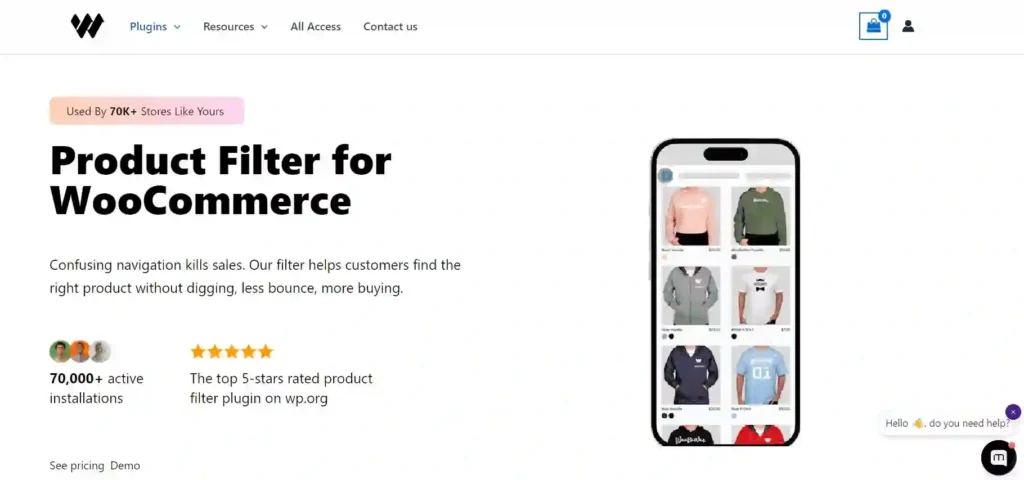
It supports AJAX filtering, WooCommerce attribute filtering, price-range sliders, and default category filtering. The free version covers the core functionality most small-to-medium stores need, and the premium version adds advanced display options and filter logic. If you are setting up product filtering for the first time, this is the easiest starting point.
YITH WooCommerce Ajax Product Filter
YITH WooCommerce Ajax Product Filter is one of the most widely used WooCommerce filter plugins globally, with a large active user base and a track record of reliable WooCommerce compatibility across updates.
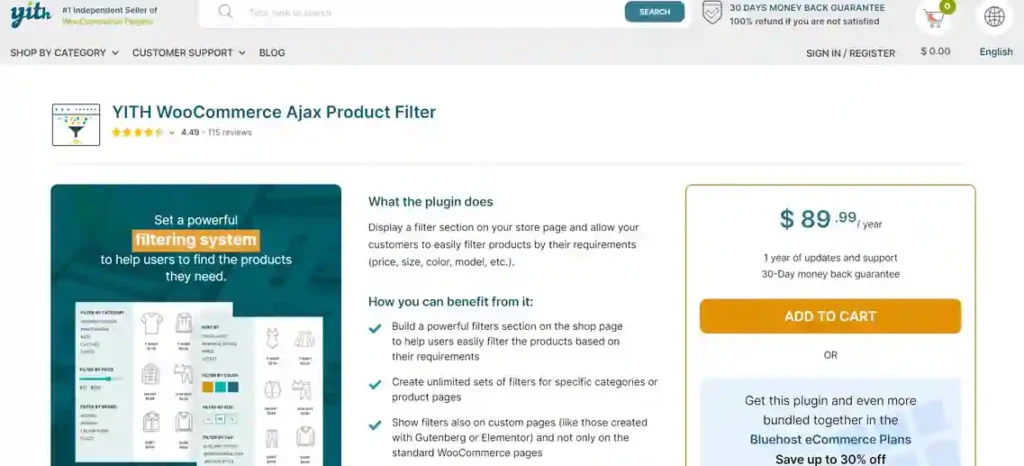
The plugin delivers fast AJAX filtering, custom filter presets, and a mobile-friendly interface that handles smaller screens well. It supports filtering by categories, tags, price, attributes, and custom taxonomies. The free version is functional for most stores, and the premium version adds advanced filter logic, color and image swatches, and more granular display control. It is the most popular general-purpose option on this list for good reason.
Filter Everything
Filter Everything is the strongest option when you need advanced filtering capabilities beyond standard WooCommerce product attributes. It works with custom post types, custom fields, and complex taxonomy structures that simpler plugins cannot handle.
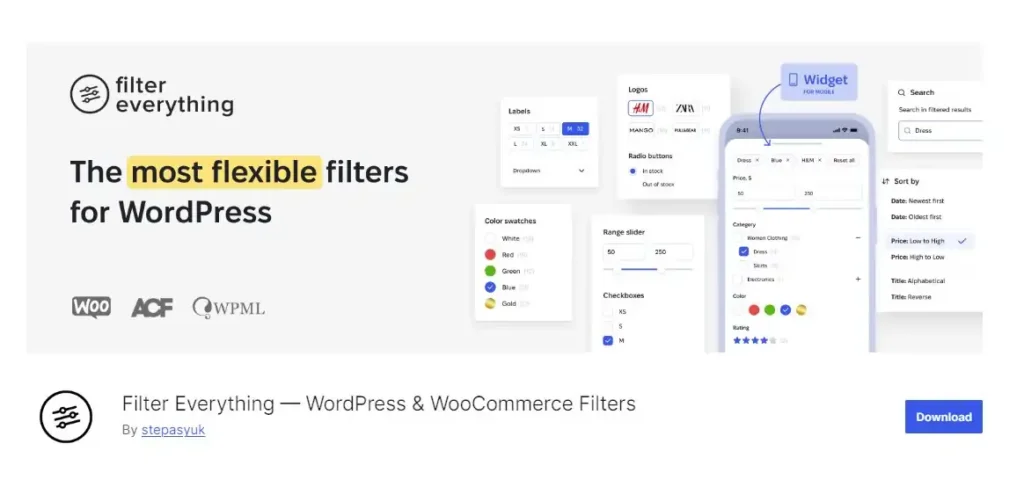
The SEO-friendly filtering structure creates clean, indexable URLs for filtered result pages, making it the best choice for stores where filtered category pages need to rank in search. It is also compatible with major page builders, which gives you flexibility in how filters display on the front end.
FacetWP
FacetWP is the strongest option for stores that need deep faceted search across complex product data. It filters across custom fields, ACF fields, Meta Box, and Toolset field sources that standard attribute-based plugins cannot touch.

The indexing system precalculates filter counts to keep performance fast, even in stores with thousands of products. It is not the easiest plugin to set up, but if your catalog uses custom fields extensively or your filtering needs go beyond standard WooCommerce attributes, FacetWP is the most capable option on this list.
Premmerce Product Filter
Premmerce Product Filter is optimized specifically for large WooCommerce catalogs where performance under load matters as much as filtering features. It uses deferred loading and caching improvements to keep filter response times fast, even on stores with thousands of products.
The SEO-friendly URL structure and category-aware attribute display make it strong for stores that need filtered pages to rank in search. The single widget approach keeps the interface clean and the setup simple. If your catalog is large and performance is your primary concern, Premmerce is the strongest option.
WOOF Product Filter
WOOF is a highly flexible filter plugin that supports a broad range of product attributes, custom taxonomies, and filtering types through shortcode implementation. It gives developers and advanced users more granular control over filter behavior than most out-of-the-box solutions.
It supports checkboxes, radio buttons, dropdowns, sliders, and text inputs across any WooCommerce product data point. The extensive customization options make it a strong choice for stores with complex or non-standard product structures that need filtering logic tailored to their specific catalog.
Husky Products Filter Professional
Husky Products Filter Professional handles large product catalogs reliably and supports multiple display layouts that can be adapted to different page structures and store designs. Advanced filtering rules let you create conditional filter logic based on category context or product type.

It delivers fast filtering performance on large catalogs, and the multiple display layout options give you flexibility in where and how filters appear. It is a strong choice for stores that need filtering to work consistently across a large and varied product range.
Keep Your WooCommerce Store Fast, Secure, and Converting.
Seahawk’s eCommerce WordPress maintenance service covers plugin updates, performance monitoring, checkout testing, and speed optimisation so your store stays reliable and your filters keep working correctly after every update.
Which WooCommerce Filter Plugin is Best for Your Store?
The right filter plugin is the one that matches your store’s size, structure, and page builder. Here is the clearest recommendation for each store type.
| Store Type | Recommended Plugin |
|---|---|
| Small WooCommerce Store | Product Filter by WBW |
| Large Complex Catalog | FacetWP |
| Large Product Catalog | Premmerce Product Filter |
| Advanced Filtering Needs | Filter Everything |
| Beginner-Friendly Setup | YITH Ajax Product Filter |
| Custom WooCommerce Store | WOOF Product Filter |
How Product Filters Improve UX and Conversions?
Product filters reduce the time customers spend searching for the right product. A customer who can filter by size, color, price range, and brand finds what they need in seconds instead of scrolling through pages of irrelevant results.
A smoother shopping experience reduces frustration, keeps customers on your site longer, and increases the likelihood of completing a purchase. Stores that implement well-configured filtering consistently see lower bounce rates and higher average session engagement than those that rely solely on WooCommerce navigation.
UX Benefits of WooCommerce Filters
Fast product discovery is the most direct UX benefit. A customer who reaches the right product in two clicks converts significantly more often than one who has to browse through multiple pages to find it.
Mobile shopping experience is equally important. Mobile users cannot scroll through large product catalogs as easily as desktop users. Filters that collapse into an accessible panel on mobile devices make large catalogs navigable on smaller screens and directly reduce the mobile bounce rate that hurts so many WooCommerce stores.
SEO Considerations for WooCommerce Product Filters
Poorly configured product filters create duplicate content and indexing problems that can suppress your category page rankings. Every filter combination that generates a unique URL is a potential duplicate page unless canonical tags or noindex directives are applied correctly.
SEO-friendly filter plugins create clean, readable URLs for filtered result pages that can rank for long-tail search queries. A page at yourstore.com/shoes/colour/red/ can rank for red-shoes searches in ways that a dynamically generated filter-parameter URL cannot.
SEO Best Practices for Product Filters
Configure canonical tags to point filtered result pages back to the main category page unless you specifically want individual filter combination pages to rank for long-tail searches. Use your SEO plugin to apply noindex directives to parameter-based filter URLs that generate duplicate content and add no search value.
Submit your key filtered category pages to Google Search Console and monitor the Coverage report for crawl errors introduced by filter URL structures. In larger stores with thousands of products, crawl budget matters significantly. Every duplicate filter URL Googlebot crawls is a crawl wasted on a page that adds no ranking value.
Common Mistakes When Using WooCommerce Filters
Most WooCommerce filter problems are not caused by the plugin itself. They are caused by how the plugin is configured, tested, and maintained after setup.
- Adding Too Many Filter Options: A sidebar with twenty filter options overwhelms customers rather than helping them. Start with the three or four attributes your customers actually use to make decisions.
- Ignoring Mobile Usability: Test every filter layout on real mobile devices before launch. A filter interface that works on desktops frequently breaks or becomes unusable on smaller screens.
- Using Slow Filter Plugins: Heavy database queries from poorly optimized filter plugins slow product pages. Test filter response times on your actual catalog size before committing.
- Creating Duplicate Content Issues: Unconfigured filter URLs create hundreds of duplicate pages. Set up canonical tags and noindex directives before Google crawls filter pages.
- Overcomplicating Product Navigation: Filters should simplify navigation, not make it more complex. Every filter option you add is a decision your customer has to make. Keep the interface focused on the decisions that actually lead to purchases.
- Not Testing Filter Performance Regularly: Plugin updates can change filter behavior and performance. Test your filter setup after every major plugin or WooCommerce update.
How Does Hosting Affect Filter Performance?
Even the best WooCommerce filter plugin performs poorly on underpowered hosting. AJAX filtering relies on fast server response to database queries. A server that takes 800 milliseconds to respond to a filter request creates a sluggish shopping experience, regardless of how well the plugin is coded.
Optimized WooCommerce hosting with server-level caching, adequate PHP memory limits, and fast database performance makes AJAX filters feel instant. The combination of the right filter plugin and quality-managed hosting delivers the seamless product discovery experience that converts browsers into buyers.
Conclusion: WooCommerce Filter Plugins
Product filters are one of the highest-impact improvements you can make to a WooCommerce store’s user experience and conversion rate. The right plugin depends on your store size, catalog complexity, and page builder, but every store with more than 20 products benefits from dedicated filter functionality.
Choose based on your store’s actual needs, configure SEO settings correctly from day one, test on mobile before launch, and ensure your hosting supports fast AJAX response times. Get those four things right, and your product filters will improve every metric that matters.
Frequently Asked Questions About WooCommerce Filter Plugins
What is the best WooCommerce filter plugin?
YITH WooCommerce Ajax Product Filter is the most widely used and reliable general-purpose option. Product Filter by WBW is the best starting point for beginners. JetSmartFilters is the strongest choice for Elementor stores. Premmerce Product Filter leads for large catalogs that need fast performance under load.
Do WooCommerce filters improve conversions?
Yes directly. Product filters reduce the time customers spend finding the right product, lower bounce rates, and increase the likelihood of completing a purchase. Stores with large catalogs see the greatest conversion impact because filtering makes previously difficult navigation easier.
Are AJAX filters better for ecommerce stores?
Yes. AJAX filters update product results without reloading the entire page, which creates a faster and more responsive shopping experience. Page-reload filters create unnecessary friction that increases abandonment rates, particularly on mobile devices.
Can product filters affect SEO?
Yes significantly. Poorly configured filters create duplicate URL structures that confuse search engines and waste crawl budget. SEO-friendly filter plugins with canonical tag support and clean URL structures prevent these problems and can create additional ranking opportunities for filtered category pages.
Which filter plugin works best with Elementor?
JetSmartFilters is the strongest option for Elementor stores. It integrates natively with Elementor’s visual builder, supports dynamic AJAX filtering, and gives you precise design control over how filters display without requiring custom CSS.
How do I speed up WooCommerce product filtering?
Use a performance-optimized filter plugin, such as Premmerce, for large catalogs. Configure server-level caching on your hosting environment. Ensure your PHP memory limit is adequate for your catalog size. Test AJAX response times after every major plugin update to catch performance regressions before they affect real customers.