
Choosing the best WordPress calendar plugin sounds simple until you actually start looking. There are plugins for events, plugins for bookings, plugins for ticket sales, and plugins that try to do everything at once. If you pick the wrong one, you either end up with missing features or unnecessary complexity.
This guide breaks down what actually matters when choosing a WordPress calendar plugin. You will learn which plugins work best for events, appointments, WooCommerce stores, and growing businesses so you can make a confident decision.
TL;DR : Best WordPress Calendar Plugin
- If you only need to display upcoming events, a lightweight calendar plugin is the best choice. It keeps setup simple and avoids unnecessary features.
- If you run a service based business, booking focused plugins work better. They handle time slots, booking requests, and confirmations more effectively than event calendars.
- WooCommerce stores benefit from calendar plugins that support ticket sales, registrations, and payment integrations. These tools connect events directly to ecommerce workflows.
- Advanced event management requires plugins that support recurring events, multiple calendars, venues, and third party integrations.
- Sugar Calendar works best for most WordPress sites because it balances simplicity with powerful features.
- The Events Calendar fits large scale and enterprise style event management.
- Booking Calendar suits appointment based and service driven websites.
- WP Event Manager works well for WooCommerce powered event sites.
- When plugins start feeling limiting, a custom solution built by Seahawk Media offers greater flexibility, performance, and long term scalability.
Why Do Most WordPress Sites Need a Calendar Plugin?
WordPress does not include a built in event or scheduling system. Without a calendar plugin, site owners rely on static pages, manual updates, or third party tools that break the user experience.
A calendar plugin centralizes events, appointments, and schedules directly on your website. Visitors see what is happening, when it is happening, and how to participate without confusion.
What Problems Does a Calendar Plugin Solve?
A calendar plugin eliminates manual coordination. Events no longer live in emails or spreadsheets. Appointments stop overlapping. Users can see availability clearly. Automated confirmations and reminders reduce missed bookings.
Recurring events no longer require repeated setup. For businesses, this means fewer admin tasks and better organization. For users, it creates clarity and trust.
Who Benefits Most From a Calendar Plugin?
Business websites use calendars for consultations, demos, and meetings. Event organizers rely on them for workshops and webinars. Agencies use calendars to manage client schedules. Educational platforms display classes and sessions.
WooCommerce stores use calendars to sell tickets and manage event based products. If timing matters on your website, a calendar plugin becomes essential.
Set Up the Right WordPress Calendar Without the Guesswork
A calendar plugin can manage events and bookings, but setup matters. Seahawk Media helps optimize WordPress calendar systems so they fit your workflow and scale smoothly.
What Should You Look for in a WordPress Calendar Plugin?
Before comparing plugins, it helps to clarify what you actually need. Most calendar plugins fail users because expectations are unclear from the start.
Do You Need Events or Appointments?
Event calendars focus on dates and schedules. Appointment calendars focus on availability and time slots. An event plugin works well for webinars and workshops. A booking plugin works better for consultations and services. Mixing the two often leads to frustration.
Do You Need Booking Payments or Just Display?
Some calendars only display events. Others handle registrations, payments, and confirmations. If you plan to sell tickets or accept paid bookings, the plugin must support payment gateways like Stripe or WooCommerce.
Does it Need to Sync with Google Calendar?
Google Calendar sync matters if your team manages schedules externally. Without sync, calendars fall out of date. Plugins with two way sync prevent missed meetings and scheduling conflicts.
Will it Scale as Your Site Grows?
A plugin that works for five events may struggle with fifty. Performance, recurring events, and filtering become important as traffic increases. Choosing a scalable plugin avoids rebuilding later.
How We Evaluated These WordPress Calendar Plugins?
We evaluated calendar plugins based on real world use, not feature lists alone. Ease of setup mattered as much as flexibility. Event creation needed to feel intuitive. Calendar views had to work across devices. Customization options needed to support real branding needs.
We also considered integrations with WooCommerce, Google Calendar, email tools, and payment gateways. Pricing transparency and long term support played a role. Plugins that balance usability with reliability ranked highest.
Best WordPress Calendar Plugins Compared
Every plugin below solves a different problem. Some focus on clean event display. Others handle bookings, registrations, or ticket sales. Use this section to match your needs with the right solution rather than chasing the most features.
The Events Calendar
The Events Calendar is built for structured event management where scale and organization matter more than simplicity.
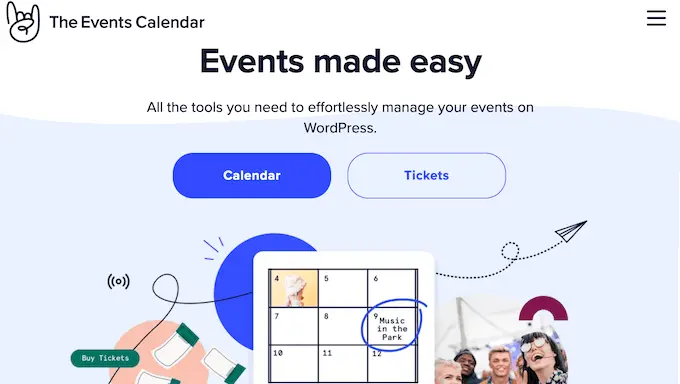
- Who is The Events Calendar Best for: The Events Calendar works best for organizations managing conferences, large events, or multiple venues. It fits well for universities, nonprofits, and businesses running events at scale.
- Key Features That Matter in Real Use: The plugin lets you assign venues and organizers to events, making complex schedules easier to manage. Multiple calendar views help users browse events comfortably. Google Maps integration improves venue clarity. Ticketing tools support event sales and check ins. Recurring events and QR based entry streamline large event operations.
- Pros and Cons: Pros include powerful event structure, strong ticketing tools, and scalability. Cons include higher pricing and added complexity for smaller sites.
- Pricing: The Events Calendar offers a free version with limited functionality. Paid plans start at a higher yearly price and unlock ticketing, advanced integrations, and premium support.
WP Event Manager
WP Event Manager is designed for WordPress sites that treat events as products.
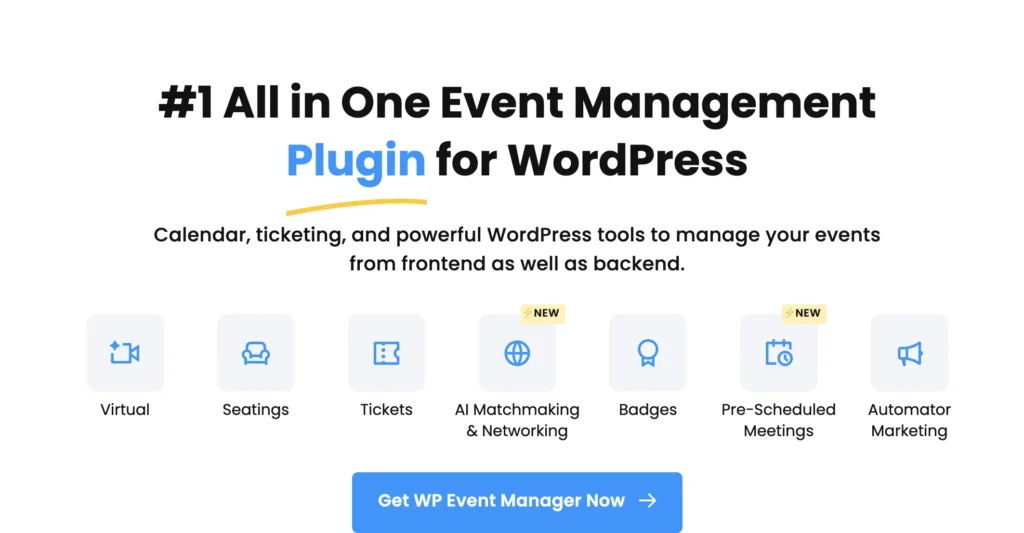
- Who is WP Event Manager Best For: WP Event Manager works best for WooCommerce stores, ticket based events, and businesses that monetize events through registrations or listings.
- Key Features That Matter in Real Use: The plugin supports event listings, registration forms, widgets, and countdown timers. Premium addons enable ticket sales, recurring events, Stripe payments, and WooCommerce integration. Its modular structure lets site owners pay only for the features they need.
- Pros and Cons: Pros include strong ecommerce compatibility and flexible addons. Cons include limited functionality in the free version.
- Pricing: The base plugin is free. Premium bundles start at a yearly price and unlock ecommerce focused features.
Sugar Calendar
Sugar Calendar stands out because it does not overwhelm you. It focuses on doing event management well without unnecessary complexity.
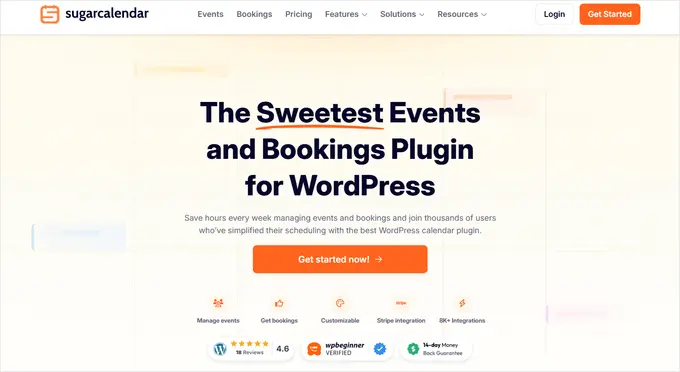
- Who is Sugar Calendar Best For: Sugar Calendar works best for business websites, communities, and agencies that need reliable event management. It suits webinars, internal events, public calendars, and recurring schedules. It also works well when you want flexibility without heavy setup.
- Key Features That Matter in Real Use: Sugar Calendar allows you to create one time, recurring, multi day, and all day events. You can manage multiple calendars from a central dashboard. Events support time zones, which is essential for global audiences. The plugin includes native WordPress blocks, making it easy to display calendars anywhere. Google Calendar sync keeps schedules aligned. Addons enable ticket sales, RSVP management, and front end event submissions.
- Pros and Cons: Pros include a clean interface, multiple calendar support, strong integrations, and scalable features. Cons include limited features in the free version and fewer advanced styling options without addons.
- Pricing: Sugar Calendar offers a free version for basic needs. Paid plans start at an affordable yearly rate and unlock ticketing, RSVPs, and advanced integrations.
My Calendar
My Calendar is designed for users who want control over how calendars look and behave.

- Who is My Calendar Best For: My Calendar suits developers, agencies, and site owners who value customization. It works well when branding and layout flexibility are important.
- Key Features That Matter in Real Use: The plugin supports multiple calendars, widgets, and shortcodes. Built in skins simplify styling. Custom CSS support allows deeper design control. Google Maps integration enhances event location pages and user experience.
- Pros and Cons: Pros include strong customization options and flexible display methods. Cons include occasional bugs and limitations for very large event sets.
- Pricing: My Calendar is free to use, making it a strong option for budget focused projects.
Timely All In One Events Calendar
Event Calendar by Timely focuses on simplicity and visual appeal without requiring technical setup.

- Who is Timely All In One Events Calendar Best for: This plugin works well for beginners, small businesses, and community sites that need a simple event calendar without advanced workflows.
- Key Features That Matter in Real Use: The plugin supports categories, tags, and multiple calendar views. Built in themes help calendars look polished quickly. iCal support allows syncing events from external calendars. Color customization helps visually separate event types for easier browsing.
- Pros and Cons: Pros include ease of use, responsive design, and free access to core features. Cons include limited advanced functionality and mixed support feedback.
- Pricing: The core plugin is free to use. Additional services or extensions may involve extra costs.
Booking Calendar
Booking Calendar focuses on appointments and time based bookings rather than events.
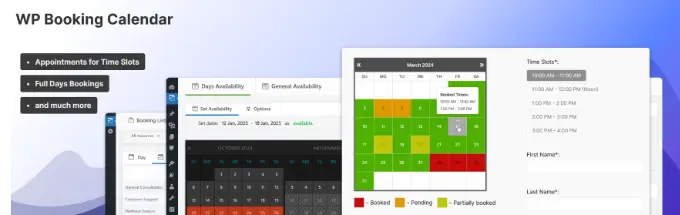
- Who is Booking Calendar Best For: Booking Calendar suits service based businesses offering consultations, rentals, or appointment driven services.
- Key Features That Matter in Real Use: Users can submit booking requests through front end forms. Admins approve or decline bookings manually. Email notifications keep communication clear. CAPTCHA support reduces spam and improves booking quality.
- Pros and Cons: Pros include simplicity, booking focused design, and strong admin controls. Cons include limited form customization and no ticketing features.
- Pricing: Booking Calendar offers a free version suitable for basic booking needs. Paid upgrades add more flexibility.
Which WordPress Calendar Plugin Is Best for You?
Choosing the best WordPress calendar plugin depends less on features and more on how your site actually uses time. Events, appointments, and ticket sales all require different approaches. This section helps you match real needs with the right tool.
Best Plugin for Simple Event Display
If your goal is to show upcoming events without registrations or payments, Events Calendar by Timely and My Calendar are strong options. Both plugins keep setup simple while offering enough customization to look professional.
Best Plugin for Appointments and Bookings
For time slot based services, Booking Calendar works best. It focuses on availability, booking requests, and confirmations rather than event promotion. This makes it ideal for consultants, service providers, and rental businesses.
Best Plugin for Selling Tickets
If you need to sell tickets or manage paid registrations, WP Event Manager and The Events Calendar are better choices. They support ecommerce workflows, payment integrations, and attendee management.
Best Plugin for Growing Businesses
Sugar Calendar is the best option for sites that expect growth. It balances ease of use with scalability, making it suitable for businesses that want to start simple and expand features over time.
When Should You Use a Custom Calendar Solution Instead?
Plugins work well for standard use cases, but they have limits. As workflows become more complex, plugins may feel restrictive rather than helpful.
Custom solutions make sense when businesses manage multiple locations, complex permissions, or unique booking logic. They also work better when performance, integrations, and branding need tighter control.
If your calendar becomes central to your business operations, customization often delivers better long term results than stacking plugins.
Final Thoughts
The best WordPress calendar plugin fits your workflow instead of forcing you to change how you work. Simple event listings, appointment bookings, and ticket based events all solve different problems, so one plugin rarely fits every use case. The right choice starts with understanding how your site uses time and how visitors interact with your schedule.
If you only need to display events, a lightweight calendar keeps things fast and easy. If bookings or payments matter, you need tools built for availability, confirmations, and integrations. As your site grows, scalability and performance become just as important as features.
Plugins work well until your requirements outgrow standard setups. When workflows become complex or calendars play a critical role in your business, custom solutions offer better control and flexibility.
Seahawk Media helps businesses design and build event and booking systems that scale smoothly, stay fast, and support long term growth without compromising user experience.
FAQs About WordPress Calendar Plugins
Can I add a calendar to WordPress without using a plugin?
Yes, but it usually requires custom development. You would need to write code to handle event data, scheduling logic, and front end display. For most websites, a calendar plugin is easier to manage and reduces long term maintenance. Custom solutions make sense only when standard plugins cannot support your workflow.
Are free WordPress calendar plugins enough for most websites?
Free calendar plugins work well for basic event display and simple scheduling. Many small websites never need more than that. As your site grows, you may need features like recurring events, payment integrations, or Google Calendar sync, which are usually part of paid versions.
Can WordPress calendar plugins handle recurring events?
Most event focused calendar plugins support recurring events such as weekly or monthly schedules. Booking focused plugins often handle recurring availability instead of recurring events. It is important to check how recurrence works before choosing a plugin.
Will a calendar plugin slow down my WordPress website?
A well built calendar plugin does not slow down a website when configured properly. Performance issues usually come from heavy themes, poor hosting, or too many active plugins. Choosing a lightweight calendar and good hosting keeps your site fast.
When should I consider a custom calendar solution instead of a plugin?
Custom solutions make sense when your site needs complex workflows, advanced permissions, or unique integrations. If a calendar becomes a core part of your business operations, a custom build offers more control and flexibility than stacking plugins.


