

If you have built an app using Lovable.dev, the next big question usually hits fast. How do you deploy it properly so real users can access it on a clean, professional domain?
Preview links are great for testing, but they are not meant for production. At some point, your app needs a stable home, fast performance, HTTPS by default, and support for custom or wildcard domains. That is where Vercel fits in perfectly.
This guide walks you through the exact process of deploying a Lovable app to Vercel. We will cover everything from initial setup to connecting custom domains and preparing for wildcard domain use cases.
If you are a founder, product builder, or agency shipping AI powered apps, this guide is built for you. Let us break it down step by step and make deployment feel simple instead of stressful.
TLDR: How to Deploy a Lovable App to Vercel
Here is the short version if you want the big picture first.
- Connect your Lovable project to a GitHub repository
- Import the repository into Vercel and review the auto detected framework
- Add required environment variables and confirm build settings
- Deploy the app and test the production URL
- Connect a custom or wildcard domain in Vercel
- Update DNS records and wait for domain verification
What Is Lovable.dev and How Deployment Works?

Before jumping into deployment, it helps to understand what is actually being deployed.
Lovable.dev generates real production ready applications. These are not mockups or static demos. Under the hood, your app is structured like a modern web project that can be hosted on platforms like Vercel.
When you deploy a Lovable app, you are essentially taking that generated project and hosting it in a cloud environment that can handle traffic, performance, and security.
How Lovable.dev Apps are Structured
A Lovable app typically includes frontend code, configuration files, and environment dependent logic. The output is designed to work seamlessly with modern hosting platforms.
Because the app is built using standard frameworks and tooling, deployment does not require custom servers or complex infrastructure. This makes it ideal for Vercel, where builds, previews, and production deployments follow a predictable workflow.
Why Vercel is Ideal for Lovable Apps
Vercel is optimized for frontend heavy and API driven applications. It handles builds automatically, provides instant previews, and includes HTTPS by default.
For Lovable apps, this means faster deployments, global performance, and minimal setup. You focus on the product while Vercel handles infrastructure, scaling, and delivery behind the scenes.
Need Deployment Help?
Seahawk helps teams deploy Lovable apps on Vercel with custom domains and production ready setups.
Before You Deploy: What You Need Ready
Deployments fail most often because of missing preparation. Taking a few minutes to set things up correctly saves hours of debugging later.
Before deploying your Lovable app to Vercel, make sure the following basics are covered.
Required Accounts and Tools
- You will need a Lovable.dev account with access to your project.
- You will need a GitHub account to store the project repository.
- Also, you will need a Vercel account with permission to deploy new projects.
- If you plan to use a custom domain, you must own or manage that domain.
Having these ready avoids interruptions halfway through the process.
Preparing Your Lovable App for Production
Before deployment, review your app configuration carefully.
Check that all required environment variables are identified. These may include API keys, authentication secrets, or third party service tokens.
Make sure any hardcoded preview URLs are removed. Production environments should rely on environment variables instead.
Test your app locally or using Lovable preview mode to confirm core features work as expected. Deployment does not fix broken logic. It only exposes it to real users.
Once everything is clean and verified, you are ready to move forward with confidence.
Step by Step Guide to Deploy a Lovable App to Vercel
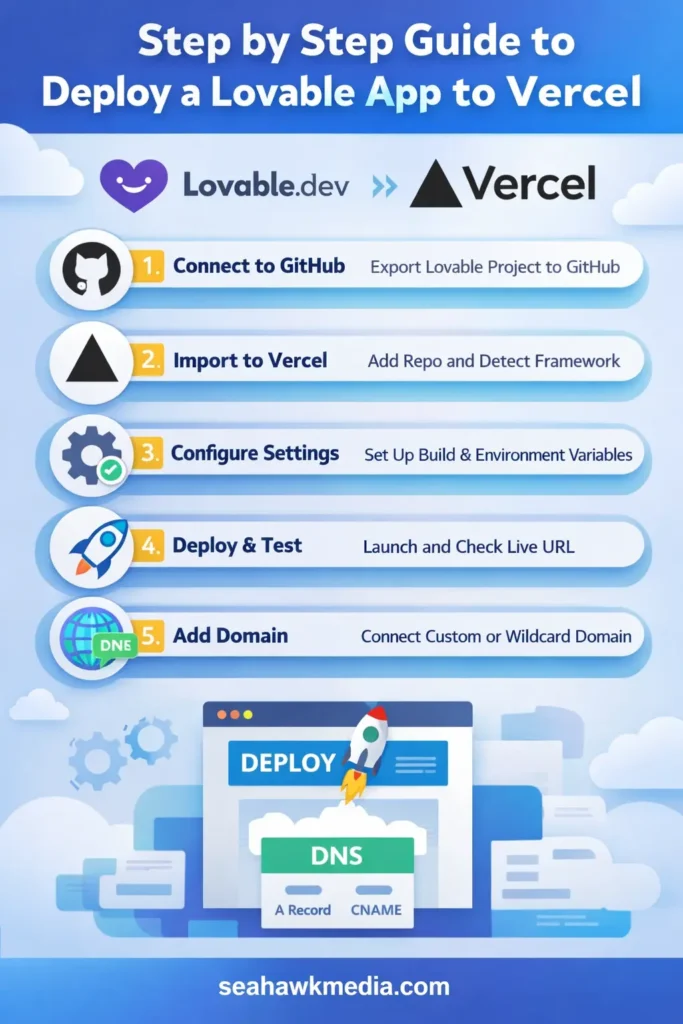
Now let us move into the actual deployment process.
This part covers getting your Lovable app into a GitHub repository and importing it into Vercel correctly.
Connecting Lovable to GitHub
Lovable allows you to export or connect your project to GitHub. This step turns your app into a version controlled repository.
Create a new repository in GitHub and link it to your Lovable project. Make sure the repository includes all required files and configuration.
This connection allows you to track changes, roll back versions, and trigger automatic deployments in Vercel later.
Once connected, confirm that the repository builds correctly and contains the full application structure.
Importing the Project into Vercel
Log into your Vercel dashboard and choose to import a new project.
Select the GitHub repository connected to your Lovable app. Vercel will automatically detect the framework and suggest build settings.
In most cases, the default settings work without modification. Review them once to ensure accuracy.
Click deploy and allow Vercel to run the first build. After completion, you will receive a live preview URL that confirms the deployment is successful.
Setting Build and Framework Settings
Once the project is imported, Vercel automatically detects the framework used by your Lovable app. In most cases, this detection is accurate and requires no manual changes.
Still, take a moment to review the build command and output directory. These settings tell Vercel how to compile and serve your app. If your Lovable project uses environment based logic, confirm that the production build is selected.
Avoid over customizing this stage. Vercel works best when you let its defaults handle the workflow. Only adjust settings if Lovable documentation specifically requires it.
When everything looks correct, save the configuration and proceed to the next step.
Environment Variables Setup
Environment variables are where most deployments quietly fail.
Inside your Vercel project settings, add all required variables used by your Lovable app. These may include API keys, authentication secrets, or third party service tokens.
Each variable should be added exactly as expected by the app. Pay close attention to spelling and casing.
After saving variables, redeploy the project so the new values are applied. This ensures your production environment behaves exactly like your tested version.
How to Add a Custom Domain to Your Lovable App on Vercel
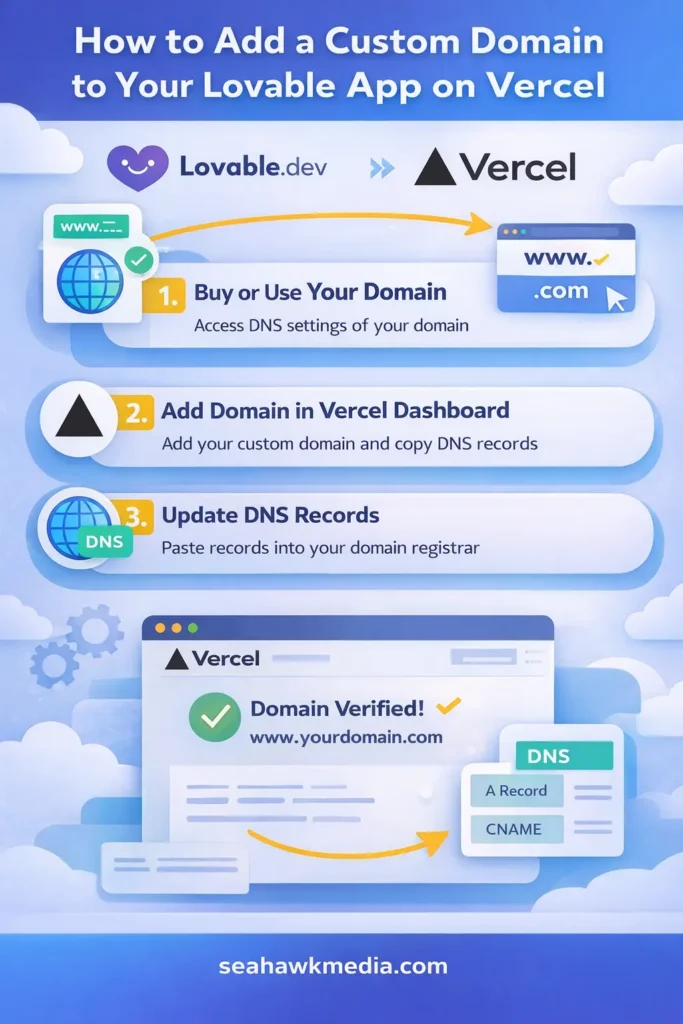
Once your app is live, the next step is giving it a professional domain.
Buying or Using an Existing Domain
You can use an existing domain or purchase a new one from any domain registrar. There is no requirement to buy domains through Vercel.
What matters is that you have access to DNS settings. Without DNS control, you cannot connect the domain to your deployed app.
If you already use the domain for another site, make sure it is ready to be pointed to Vercel.
Adding the Domain Inside Vercel
In your Vercel project dashboard, open the domains section.
Add your custom domain and select it as the primary domain if needed. Vercel will immediately show verification instructions.
This step does not break anything. Your default Vercel URL remains active until DNS changes are completed.
Updating DNS Records Correctly
Copy the DNS records provided by Vercel and paste them into your domain registrar settings.
Most setups require either an A record or a CNAME record. Follow Vercel instructions exactly.
DNS changes may take time to propagate. Once verified, Vercel automatically enables HTTPS and your app becomes accessible through the custom domain.
Setting Up Wildcard Domains on Vercel
Wildcard domains are powerful when your app serves multiple subdomains dynamically.
What Is a Wildcard Domain and When You Need One
A wildcard domain allows all subdomains to point to the same application. For example, user1.yourapp.com and user2.yourapp.com can load different content from one Lovable app. This setup is common for multi tenant platforms, customer dashboards, or white labeled apps.
If your Lovable app supports dynamic routing, wildcard domains unlock serious scalability.
Configuring Wildcard DNS Records
In your DNS settings, add a wildcard record using an asterisk before the domain name. Point it to the Vercel endpoint exactly as instructed. Then add the wildcard domain inside Vercel as well.
Vercel verifies wildcard domains the same way as regular domains.
Handling Routing Inside Your Lovable App
Your app must detect the subdomain and load content accordingly.
Most frameworks allow you to read the host header and route requests dynamically. Make sure this logic is tested before production. Wildcard domains only work well when routing is intentional and controlled.
Common Deployment Errors and How to Fix Them
Even clean deployments hit issues. The key is knowing where to look.
Build Failures and Missing Environment Variables
If builds fail, check logs first. Missing environment variables are the most common cause. Ensure every required variable is added to Vercel and redeploy after updates.
Domain Verification Issues
If domain verification fails, DNS records are usually incorrect or still propagating. Double check record types and wait a little longer before retrying verification.
App Loads but Features Do Not Work
This often means environment values differ between preview and production. Compare both setups and align variables exactly.
Performance and Security Best Practices After Deployment
After deployment, focus on stability.
Use Vercel analytics to monitor performance. Enable caching where appropriate and avoid unnecessary client side requests.
HTTPS is automatically handled, but secure your environment variables carefully. Never expose secrets to the frontend.
If your app handles user data, review access controls and authentication flows. Strong performance and security practices ensure your Lovable app scales confidently without surprises.
When to Get Expert Help with Lovable and Vercel Deployments
Some deployments are simple. Others grow fast and demand reliability.
If you are launching for clients, managing multiple environments, or supporting wildcard domains at scale, expert help saves time and risk.
At Seahawk, teams often step in when projects move beyond basic deployment. From environment architecture to domain strategy and long term maintenance, having experienced support keeps production apps stable as usage grows.
This is especially valuable for agencies and founders who want to focus on product and growth instead of infrastructure issues.
Final Thoughts: Deploy Once Scale Confidently
Deploying a Lovable app to Vercel does not need to feel complicated.
With the right preparation, clean environment setup, and proper domain configuration, your app can move from preview to production smoothly.
Custom domains create trust. Wildcard domains create scale. Vercel handles the infrastructure so your Lovable app can focus on delivering value.
Take your time, follow the steps carefully, and test thoroughly. A strong deployment foundation makes everything that follows easier.
Frequently Asked Questions About Deploying Lovable Apps to Vercel
Can I deploy multiple Lovable apps on one Vercel account?
Yes, you can deploy multiple Lovable apps under a single Vercel account. Each app is treated as a separate project with its own build settings, environment variables, and domains. This setup works well for founders managing multiple products or agencies deploying apps for different clients. Just make sure each project has its own GitHub repository and clearly separated environment variables to avoid conflicts.
Do wildcard domains affect SEO?
Wildcard domains themselves do not hurt SEO, but how you use them matters. If every subdomain serves unique and valuable content, search engines can index them properly. Problems arise when many subdomains show duplicate or thin content. When using wildcard domains with a Lovable app, ensure each subdomain has a clear purpose and meaningful content. This keeps search visibility healthy and avoids indexing issues.
Is Vercel suitable for production AI powered apps?
Yes, Vercel is well suited for production AI apps built with Lovable.dev. It provides automatic scaling, global delivery, HTTPS by default, and reliable uptime. Many AI driven applications rely on Vercel for frontend delivery while connecting to external APIs or services for processing. As long as environment variables and API limits are managed correctly, Vercel performs well in production.
How do I manage updates after deploying my Lovable app?
Updates are handled through your GitHub repository. When you push changes to the connected branch, Vercel automatically triggers a new deployment. This makes it easy to ship improvements, fix bugs, or roll back changes if needed. For safer updates, use preview deployments to test changes before promoting them to production. This workflow keeps updates predictable and low risk.
Can I use one wildcard domain for client specific apps?
Yes, wildcard domains are commonly used for client specific or multi tenant setups. For example, each client can access the app through their own subdomain. Your Lovable app must include logic to detect the subdomain and load the correct data. This approach scales well when paired with proper routing and access control.



