
If your business isn’t showing up in Google’s local pack, you’re losing customers to competitors who are. Google Business Profile optimization is the single most effective thing you can do to change that.
This guide covers every section of your profile, what each one does for your local ranking, and exactly how to optimize it the right way.
Google Business Profile optimization is the process of completing, verifying, and actively managing your GBP listing so your business ranks higher in local search results and Google Maps. It involves choosing the right business category, adding accurate information, uploading photos, collecting reviews, publishing Google Posts, and keeping every section of your profile complete and up to date.
What is Google Business Profile and Why Does it Matter for Local SEO?
Google Business Profile is a free listing that controls how your business appears in Google Search and Google Maps. When someone searches for a service near them, Google shows a local pack of three businesses at the top of the results.

Your GBP listing is what determines whether your business appears in that pack.
For local businesses, GBP visibility drives more foot traffic, calls, and website visits than almost any other marketing channel. A fully optimized profile gives Google everything it needs to match your business to relevant local searches.
How Google Business Profile Affects Local Search Rankings?
Google uses three core factors to rank businesses in local search: relevance, distance, and prominence. Relevance is how well your profile matches the searcher’s query. Distance is how close your location is to the searcher. Prominence is how well-known and trusted your business is.
Your GBP listing directly influences all three. A complete, accurate profile with the right categories improves relevance. A verified address improves distance signals. Strong reviews and consistent citations build prominence.
How to Set Up Google Business Profile Correctly?
Setting up your profile correctly from the start prevents issues that are harder to fix later. A poorly configured profile sends conflicting signals to Google and limits how well your listing performs.
Claim and Verify Your Google Business Profile
Go to business.google.com and search for your business. If a listing already exists, claim it. If not, create a new one.
Google will send a verification code to your business address, phone number, or email. Complete verification immediately. An unverified profile has limited visibility and cannot access all optimization features.
Choose the Right Business Category
Your primary business category is one of the strongest ranking signals in your entire profile. It tells Google what type of business you are and determines which searches your profile is eligible to appear for.
Choose the most specific and accurate category available. Add secondary categories for every additional service you offer. Each secondary category expands the range of searches your profile can rank for.
Add Your Complete Business Information
Fill out every field in your profile, including your business name, address, phone number, website, hours, and service area. Every piece of information gives Google more data to match your profile to relevant searches.
Ensure your business name, address, and phone number exactly match what appears on your website and across every directory listing. Even minor variations create NAP inconsistencies, weakening your local authority signal.
How to Optimize Every Section of Your Google Business Profile?
A complete profile is a good start. An optimized profile actively works to improve your local ranking. These sections have the most impact on how your profile performs in local search.

Optimize Your Business Name and Description
Your business name in your GBP profile must match your actual legal or trading name exactly. Adding keywords to your business name violates Google’s guidelines and can result in your profile being suspended.
Your business description gives you 750 characters to describe what your business does and who it serves. Write it for the customer, not for search engines. Include your most important services and your location naturally. Avoid keyword stuffing.
Add and Optimize Your Business Photos
Profiles with photos receive significantly more clicks, direction requests, and calls than those without. Upload at least 10 high-quality photos that cover your exterior, interior, team, products, and services.
Use real photos rather than stock images. Google’s algorithm can identify stock photography, and customers respond significantly better to authentic images of your actual business.
Add high-quality profile and cover photos that clearly represent your brand and make your listing visually appealing in search results.
Set Up Your Products and Services Correctly
Adding your products and services gives Google keyword-rich content to match your listing against relevant searches. List every service you offer with a clear name, description, and price range where applicable.
For product-based businesses, upload your product catalog with photos, descriptions, and pricing. Each product and service entry is an additional semantic signal that helps Google understand the full range of what your business offers.
Use Google Posts to Keep Your Profile Active
Google Posts are short updates that appear directly on your GBP listing in search results. They signal to Google that your profile is actively managed and give potential customers current information.
Publish at least one Google Post per week. Posts expire after seven days, so consistent publishing is essential. Use Posts to promote offers, announce new services, share recent work, and highlight upcoming events. Include a clear call to action and a photo in every post.
Set Up Your Q&A Section
The Q&A section is one of the most overlooked optimization opportunities in local SEO. Proactively add the most common questions your customers ask and answer them yourself before anyone else does.
Each question and answer adds keyword-rich content to your profile. Monitor your Q&A section regularly to catch and correct inaccurate answers posted by other users.
How to Optimize Google Business Profile for the Local Pack?
The local pack is the block of three business listings at the top of local search results. Appearing in it captures the majority of clicks on local search results pages.
To rank in the local pack, focus on category accuracy, review quantity and quality, NAP consistency across all citations, website optimization for local keywords, and behavioral signals like clicks and direction requests.
The businesses that consistently appear in the local pack have strong signals across all of these dimensions, not just one or two. Optimizing your GBP profile in isolation, without also building citations and reviews, yields limited results.
How to Get More Google Reviews and Use Them for SEO?
Reviews are one of the most powerful ranking signals in local SEO. They influence both where you rank and whether searchers choose you over competitors who rank nearby.
How to Ask Customers for Google Reviews?
The most effective review generation strategy is a simple, direct ask at the moment of highest customer satisfaction. For service businesses, that’s immediately after a successful job. For retail businesses, it’s at the point of purchase.
Send a direct link to your Google review page via SMS or email. Reduce the number of steps between the ask and the review as much as possible. The easier you make it, the higher your conversion rate from ‘ask’ to ‘published review’.
How to Respond to Google Reviews Correctly?
Respond to every review, positive and negative. Responding to reviews signals an active, engaged business to both Google and potential customers.
For positive reviews, thank the customer genuinely and mention a specific detail from their experience. For negative reviews, acknowledge the concern, apologize for the experience, and offer to resolve it offline. Keep responses professional and constructive.
How Reviews Affect Your Google Business Profile Ranking?
Review quantity, velocity, average rating, and the presence of keyword-rich review content all influence local rankings. A business with a consistent stream of recent, positive reviews consistently outranks competitors with fewer or older reviews.
Star rating also matters. A 4.8 average from 200 reviews consistently outranks a 3.9 average from 500 reviews in most local markets. Quality and recency are weighted alongside volume in Google’s assessment of your review signals.
How to Use Google Business Profile Insights to Improve Performance?
GBP Insights shows you how customers find your profile, what they do when they find it, and where they come from. Check it monthly to understand which search queries trigger your profile, how many people view your listing, how many request directions, and how many call your business directly.
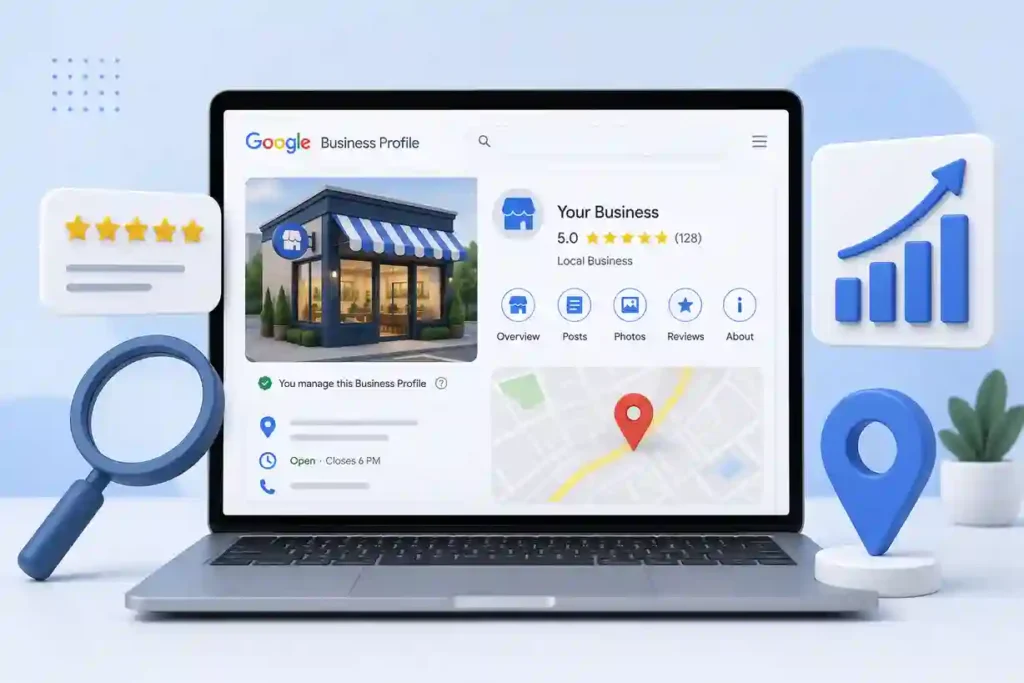
Use this data to identify which services or locations drive the most profile activity, and focus your optimization efforts there. A drop in profile views after a period of inactivity is a clear signal that your posting frequency needs to increase.
Want to Rank Higher in Local Search?
Our SEO team optimizes your Google Business Profile, builds local citations, and manages your review strategy so your business shows up where local customers are searching.
Common Google Business Profile Optimization Mistakes to Avoid
These mistakes keep showing up on local business profiles. Each one either limits your visibility or risks suspending your profile.
- Keyword-Stuffed Business Name: Adding keywords to your business name that aren’t part of your actual name violates Google’s guidelines and can trigger a suspension.
- Wrong Primary Category: Choosing a broad or inaccurate primary category limits the searches your profile appears in and weakens your relevance signal.
- Incomplete Profile: Every empty field is a missed opportunity to give Google more data to match your profile to relevant searches.
- Not Responding to Reviews: Ignoring reviews signals a disengaged business to both Google and potential customers. Respond to every review within 24 to 48 hours.
- Inconsistent NAP Across Directories: Variations in your business name, address, or phone number across different directories create conflicting signals that weaken local authority.
- Ignoring Google Posts: An inactive posting history signals a neglected profile. Publish at least one post per week to maintain an active profile signal.
- Not Adding Products and Services: Every product and service entry adds keyword-rich content to your profile. Leaving this section empty limits your relevance for specific service queries.
- Ignoring the Q&A Section: Unanswered questions and inaccurate community answers on your profile drive potential customers away before they ever contact you.
How to Optimize Google Business Profile for Multiple Locations?
If your business has multiple locations, each one needs its own separate GBP profile. Never try to manage multiple locations from a single profile, as this creates confusion for both Google and customers.
Use Google’s bulk verification option for businesses with ten or more locations. Create a consistent naming convention across all location profiles and ensure every profile has unique, location-specific content rather than identical descriptions copied across all listings.
Each location’s profile should reflect its services, photos, and reviews.
Google Business Profile Optimization for Service Area Businesses
Service area businesses that serve customers at their location, rather than receiving customers at a fixed address, have different GBP setup requirements. Set your service areas in your profile rather than displaying a physical address if you don’t want your address publicly visible.
Define your service areas by city, region, or zip code to tell Google which geographic areas your business serves. A well-configured service area profile can rank for searches across every location you’ve defined, even without a physical address in each one. Keep your service area realistic.
Setting an unrealistically large service area dilutes your relevance signal for the areas where you actually work.
How to Recover a Suspended Google Business Profile?
A suspended GBP profile disappears from Google Search and Maps entirely. Suspensions happen when Google detects a policy violation, including keyword-stuffed business names, fake addresses, duplicate listings, or misrepresentation of your business type.
Review Google’s guidelines carefully to identify what triggered the suspension. Fix the underlying issue before submitting a reinstatement request through the Google Business Profile support page.
Include documentation of your business’s legitimacy, including business registration, utility bills, or photos of your physical location if applicable. Reinstatement reviews typically take several days to a few weeks.
Best Tools to Manage and Optimize Google Business Profile
These tools cover every layer of GBP management from rank tracking to citation building and review generation.
| Tool | Best For | Benefit |
|---|---|---|
| Google Business Profile Manager | Direct profile management | Free native management tool. |
| BrightLocal | Local rank tracking | Multi-location performance data. |
| Whitespark | Citation building | Local authority improvement. |
| Semrush Local | Citation management | Listing accuracy monitoring. |
| GatherUp | Review management | Automated review generation. |
Conclusion: Optimize Your Google Business Profile and Own Your Local Market
Google Business Profile optimization is not a one-time task. It’s an ongoing process of completing every section, generating consistent reviews, posting regularly, and monitoring your insights monthly.
Start with verification and category selection. Complete every field. Build a review generation process. Post weekly. The businesses that do this consistently show up in the local pack while competitors with neglected profiles don’t.
Your Google Business Profile is free, powerful, and working for your business every time someone nearby searches for what you offer. Optimize it like it matters, because it does.
FAQs About Google Business Profile Optimization
What is Google Business Profile optimization?
Google Business Profile optimization is the process of completing, verifying, and actively managing your GBP listing to improve visibility in local search and Google Maps. It covers category selection, business information accuracy, photos, reviews, Google Posts, and Q&A management.
How long does it take for Google Business Profile changes to affect rankings?
Most profile changes take one to four weeks to influence local rankings. Review velocity improvements tend to show results faster. Monitor your GBP Insights weekly after making changes to track what’s working.
How many photos should I add to my Google Business Profile?
Start with at least ten photos covering your exterior, interior, team, and services. Add new photos regularly rather than uploading all at once to maintain an active profile signal over time.
Do Google Posts help with local rankings?
Yes. Regular Google Posts signal an active, well-maintained profile to Google. Consistent weekly posting contributes to overall profile strength and increases engagement signals that influence local rankings.
How do I rank higher on Google Maps?
Complete every section of your GBP profile, choose accurate business categories, build consistent citations, generate regular reviews, publish Google Posts weekly, and optimize your website for local keywords. All of these signals work together.
What is the most important factor for Google Business Profile ranking?
There is no single most important factor. Google uses relevance, distance, and prominence together. The businesses that rank highest have strong signals across all three dimensions, not just one.


