
Choosing the right website builder is not a fun design decision. It is a business decision. The builder you choose decides how fast your site loads, how easily you can publish content, how well you can rank, and whether you can grow without hitting a ceiling.
Most people do this backwards. They start with templates, pricing, or whatever tool is trending on YouTube. Then six months later, they realize the builder cannot handle basic SEO structure, feels slow on mobile, or locks them into a setup that is painful to move away from.
So let’s do this the smart way.
This guide will help you choose a builder that fits what you need now and still makes sense when your traffic grows, your offers evolve, and your website becomes more than a digital business card.
TL;DR: Choose the Right Website Builder
- Start with your business goals instead of feature lists or templates.
- Choose a builder that supports growth rather than locking you in early.
- Prioritize website speed performance and Core Web Vitals from day one.
- Make sure SEO basics like structure metadata and clean URLs are easy to manage.
- Look for strong integration options with marketing analytics and sales tools.
- Ensure you own your content and can move hosting if needed.
- Pick a builder that stays easy as your site becomes more complex.
- Think long term and select a foundation that will not require rebuilding later.
Why Choosing a Website Builder is a Bigger Decision Than Ever?
A website used to be a destination. Now it is a system.
It is where your ads land. It is where your SEO content lives, leads are captured, emails connect with users, checkouts take place, and credibility is judged in seconds.
And Google does not care how pretty your homepage is if it loads like a truck in peak traffic.
Google’s own guidance recommends aiming for good Core Web Vitals because it supports search success and better real user experience.
This is why website builders are being judged on more than drag and drop editing.
Websites Are No Longer Just Online Brochures
If you are running a business site today, your builder needs to support things like:
- Lead capture forms that actually deliver emails reliably.
- Landing pages that can be tested and improved.
- Blog content that is easy to structure with proper headings.
- Speed optimization that does not require a developer every week.
- Integrations with tools your team already uses.
A builder that only helps you publish pages is not enough anymore.
Platform Lock-in is the Hidden Cost Most People Ignore
Lock in shows up when you want to leave and you realize you cannot.
Some platforms are built on proprietary systems. That means your pages are not portable. Your design is not portable.
Sometimes even moving within the same ecosystem forces a rebuild. Wix has a support article that explicitly says you cannot migrate a site from the Wix Editor to the Studio Editor and you need to rebuild instead.
That is not a hate point. It is simply a reality of how closed platforms work. They can be convenient, but the trade off is flexibility later.
Choosing a Website Builder Feels Overwhelming?
We help you plan and build scalable WordPress websites that are fast, flexible, and ready to grow with your business from day one.
Start with Your Real Needs Not Feature Lists
Here is a simple rule. If you choose a builder based on features, you will probably choose wrong. Because feature lists are built to sell. Your needs are built to scale.
Instead, answer three questions first.
What Are You Really Building?
A five page brochure site and a content driven marketing site are not the same thing. An ecommerce store and a service site are not the same thing. A portfolio and a multi location business site are not the same thing.
Before you compare builders, decide which of these best describes your site today:
- A service business website that needs leads.
- A content site that needs SEO traffic.
- An ecommerce site that needs conversions.
- A portfolio that needs visual impact and speed.
- An agency workflow that needs repeatable systems.
Once you know your category, the right builder options become obvious.
How Much Control Do You Actually Need?
Some people want to change a logo, update a few pages, and stay consistent. That is fine.
Others want to customize layouts, control responsiveness, build landing pages, run experiments, and build new sections quickly without rebuilding the whole theme.
If you know you will want more control later, you should not start on a platform that makes advanced customization feel like a fight.
Are You Building for Today or the Next Three Years?
This is the question most people avoid because it forces honest thinking.
If your answer is “I might add more pages later” then you need a builder that supports scalable site structure.
If your answer is “we will run paid campaigns and publish content weekly” then you need a builder that supports performance and SEO workflows.
And, if your answer is “we will eventually expand to ecommerce or membership” then you need a builder that can grow with you without requiring a full rebuild.
Understanding the Three Types of Website Builders Available
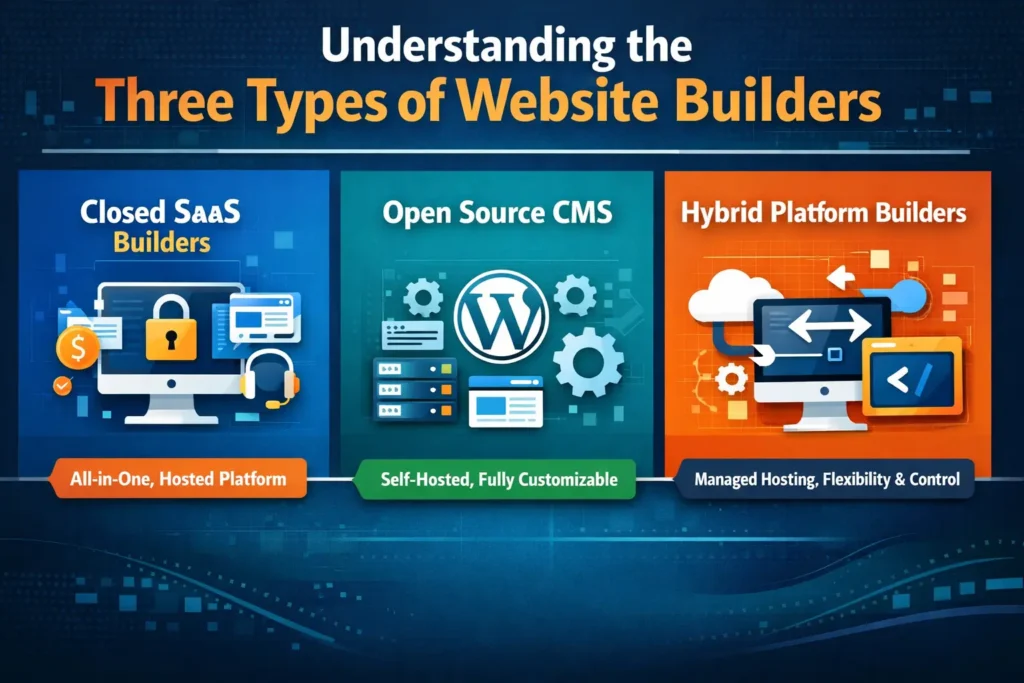
The easiest way to choose well is to understand what kind of builder you are choosing. In 2026, most website builders fall into three categories.
Closed SaaS Website Builders
These are all in one platforms where you pay monthly and everything is bundled. Hosting, editor, templates, support, and often domain management.
Why people choose closed SaaS builders:
- You can launch a website quickly without worrying about technical setup or server configuration.
- There is no need to manage hosting, updates, or infrastructure manually.
- Support is centralized, so there is a single provider responsible for the entire system.
- Billing is simple, with one predictable monthly payment instead of multiple tools.
Where the limitations start to show:
- You are building inside a proprietary system that you do not fully control.
- Advanced SEO customization can be limited as your site grows.
- Integrations are restricted to what the platform allows or approves.
- Portability is difficult, since designs and layouts cannot be easily moved elsewhere.
For a small website that is unlikely to grow beyond a few pages, this setup can work just fine. The challenge appears when the business starts to expand.
At that stage, switching platforms often means rebuilding the site from scratch, which increases cost, effort, and risk.
Open Source Content Management Systems
Open source platforms like WordPress are built differently. You are not renting a closed environment. You are building on a foundation you can host anywhere and extend in thousands of ways.
One reason WordPress remains dominant is adoption at scale. W3Techs reports that WordPress is used by 60 percent of websites where the CMS is known and 43% of all websites measured.
Why people choose open source
- Full ownership of your site and its content.
- Freedom to switch hosting providers as your needs change.
- The ability to extend functionality through plugins and custom development.
- Flexibility to build nearly any type of website without platform limits.
Where people struggle
- Too many plugins can create complexity.
- Performance depends heavily on hosting and setup.
- Maintenance needs consistency, updates, security checks.
This is why many businesses use WordPress but still rely on agencies like Seahawk Media for the build, optimization, and long term care.
Hybrid Platform Based Builders
This is the category growing the fastest because it solves the main trade off.
Hybrid models combine the ownership of open source with the ease of managed systems. You get a more guided building experience, plus infrastructure that is built for performance and reliability.
This model matters because many business owners want control without becoming accidental system administrators.
The Most Important Factors to Evaluate Before You Choose
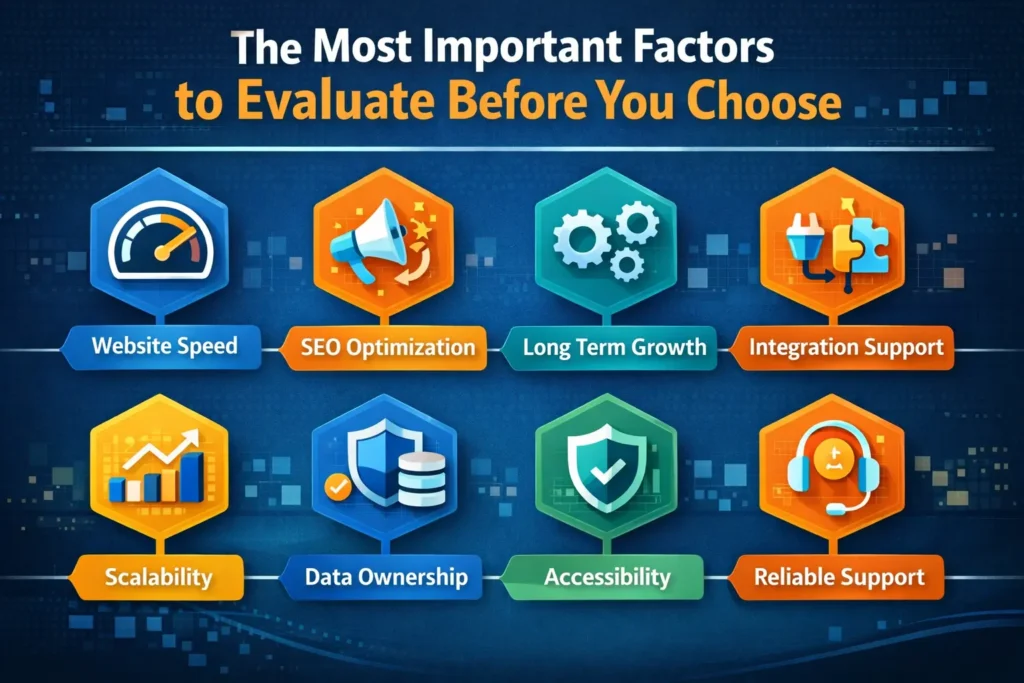
Now let’s talk about what actually matters when you compare builders. Not vague claims like “easy to use” or “best templates.” Real factors that impact your results.
Ease of Use without Sacrificing Growth
Every builder is easy when you are building your first page. The real question is whether it stays easy when you need to:
- Add new landing pages quickly.
- Update layout sitewide.
- Build new sections without breaking mobile.
- Create reusable templates for blog posts and pages.
Ease is not about beginner friendliness. It is about workflow friendliness. If you are building for a real business, the best builder is one that makes your second year easier than your first.
Design Freedom and Brand Control
Templates help you launch, but templates also make many brands look identical.
In 2026, design control matters because your website is often the first trust signal someone sees. If your site looks generic, it feels replaceable. So evaluate:
- Precise control over spacing, typography, and overall layout.
- Customization options for mobile and tablet views.
- The ability to create consistent sections that can be reused across pages.
- Global style settings that keep branding uniform throughout the site.
This is especially important for service businesses and agencies where brand perception directly impacts conversions.
Website Speed Performance and Core Web Vitals
Performance is not a technical vanity metric anymore. It affects rankings and revenue.
Google’s documentation explains Core Web Vitals as a set of metrics that measure real world user experience for loading performance, interactivity, and visual stability.
Your builder affects speed in a few ways:
- How heavy the templates are?
- How it loads scripts and assets?
- The quality of the code it outputs.
- How well it works with caching and CDNs?
- How well it handles images?
If a builder produces bloated pages, you can sometimes optimize around it, but you are starting from a disadvantage.
Search Engine Optimization Capabilities Built into the Foundation
A website builder should not make SEO feel like an afterthought or a workaround.
Strong SEO foundations mean you can structure content properly, control metadata easily, and avoid technical issues that block search visibility.
Many site owners discover too late that their builder limits what search engines can actually understand. When evaluating SEO readiness, look for:
- Easy editing of meta titles and descriptions on every page.
- Clean heading structure using proper H1 H2 and H3 tags.
- Control over image alt text and link attributes.
- Support for schema through integrations or plugins.
- Clean URLs without forced parameters or IDs.
Search engines rely heavily on structure. If your builder fights you on basic hierarchy or generates messy markup, rankings become harder to earn even with great content.
Open platforms often integrate well with advanced SEO tools that provide deeper insights and control, while closed systems usually offer simplified options that may be enough early on but limiting later.
Ecosystem Integrations and Extensibility
No serious website operates alone anymore. Your site must connect with email platforms, analytics tools, CRM systems, payment gateways, and automation software.
This is where builder ecosystems matter. Instead of asking “Does this builder have integrations” ask:
- Can I connect the tools I already use?
- Are integrations native or dependent on third parties?
- What happens if I need something custom later?
Builders with open ecosystems allow you to add functionality without rebuilding the site. Closed platforms often restrict integrations to approved apps, which can limit flexibility or increase monthly costs as you grow.
For example, email delivery is a common pain point. Contact form notifications that land in spam can quietly cost leads. Platforms that offer native mail handling or reliable integrations solve this without manual configuration.
Scalability and Long Term Growth Potential
A builder that works today should not collapse under growth tomorrow.
Scalability shows up when traffic spikes, content grows, or new features are added. Some builders handle growth gracefully. Others force you into upgrades or rebuilds.
Evaluate scalability by asking:
- Can hosting resources scale when traffic increases?
- Can the site handle hundreds of pages without slowing down?
- Is ecommerce expansion supported if needed?
- Can functionality grow without breaking existing layouts?
Migration matters here too. If you outgrow a platform, leaving should be possible without rebuilding everything from scratch. Open foundations typically offer more exit paths than proprietary systems.
Data Ownership and Portability
This is one of the most overlooked factors and one of the most expensive mistakes. Ownership means:
- Your content belongs to you and can be exported.
- Your site does not disappear if you cancel a subscription.
Some builders remove access the moment billing stops. Others allow content exports but not layouts or structure.
Before choosing, understand what you truly own and what you are renting.
Portability protects your investment. Even if you never plan to move, knowing you can gives leverage and peace of mind.
Support Quality and Community Strength
Every website breaks at some point. When it does, support matters more than features. There are two kinds of support that count:
- Platform support that understands the full system.
- Community support that provides real world solutions.
Builders with large user bases tend to have better documentation, tutorials, forums, and third party resources. This shortens problem solving time and reduces dependency on paid help.
Platforms that combine hosting and builder support also remove the blame cycle where hosting providers and software vendors point fingers at each other.
AI and Innovation That Actually Helps
AI in website builders has matured. In 2026, it is no longer impressive that a tool can write placeholder text.
What matters is whether AI improves workflows. Practical AI support includes:
- Helping plan site structure from a brief.
- Generating layouts based on content goals.
- Assisting with accessibility improvements.
- Speeding up repetitive design tasks.
Avoid tools that market AI heavily but only deliver surface level features. Real value comes from AI that understands context and reduces manual work.
Accessibility and Compliance Readiness
Accessibility is no longer optional. Regulations are becoming stricter and user expectations are rising.
A builder should help you create inclusive websites without requiring specialist knowledge. Look for support around:
- Accessible color contrast and typography.
- Proper semantic structure.
- Keyboard navigation support.
- Clear labeling for forms and interactive elements.
Accessibility improves usability for everyone, not just users with disabilities. Builders that support accessibility by design reduce risk and expand reach.
How Different Types of Businesses Should Choose Their Builder?
Choosing becomes easier when you stop thinking in general terms and focus on real scenarios.
Small Business Owners and Local Services
For local businesses, reliability and lead capture matter most. The builder should support:
- Fast loading mobile pages
- Simple content updates
- Reliable contact form delivery
- Clear calls to action
Ease of management matters more than extreme customization, but performance and SEO still cannot be ignored.
Freelancers Creators and Personal Brands
Personal brands need differentiation. The builder should allow:
- Flexible layouts and visual storytelling.
- Blog and content structure for SEO.
- Integration with email and social tools.
- Easy updates without breaking design.
Design control paired with performance is the sweet spot here.
Ecommerce Brands and Online Sellers
Sales driven sites have no tolerance for downtime or friction. Key requirements include:
- Stable hosting during traffic spikes.
- Customizable product and checkout pages.
- Integration with payment and marketing tools.
- Strong performance on mobile devices.
Builders that limit checkout customization or rely heavily on paid add ons can become expensive as stores grow.
Agencies and Professional Web Creators
Agencies need systems, not just tools. The ideal builder supports:
- Reusable templates & component and fast project turnaround.
- Consistent performance across sites.
- Easy maintenance and updates.
This is where open platforms with visual builders often shine, especially when paired with managed infrastructure.
Why WordPress Based Builders Continue to Dominate?
WordPress continues to power a large portion of the web because it adapts. Its strength comes from:
- An open ecosystem with thousands of integrations.
- Strong content management capabilities.
- Flexibility across industries and use cases.
- Long term control over data and hosting.
When paired with modern visual builders, WordPress removes much of the complexity that once scared non technical users while keeping the advantages that enterprises value.
How Seahawk Media Helps You Choose and Build the Right Website Foundation?
Choosing the wrong builder costs time, money, and momentum. Seahawk Media approaches this decision strategically, not emotionally.

Instead of pushing one solution, Seahawk Media evaluates:
- Business goals and growth plans
- Content and SEO requirements
- Performance expectations
- Long term maintenance needs
From there, the right stack is selected and implemented properly from day one. This prevents rebuilds, avoids technical debt, and sets the site up for sustainable growth.
How to Future Proof Your Website Builder Choice?
Future proofing is about flexibility. Builders that survive beyond 2026 will:
- Adapt to AI driven workflows
- Support stricter accessibility standards
- Prioritize performance by default
- Allow growth without rebuilds
The safest choice is a builder that does not box you in and gives you options as technology evolves.
Conclusion
There is no universal best website builder. There is only the best builder for where your business is headed.
If you need something quick and simple forever, a closed builder may be enough. If your website is a long term asset that supports growth, content, SEO, and revenue, ownership and flexibility matter more.
Choosing wisely today saves you from rebuilding tomorrow. And in 2026, the smartest websites are built on foundations designed to grow, adapt, and perform without limits.
FAQs About Website Builders
What is the best website builder in 2026 for long term growth?
The best website builder is the one that does not limit you as your business grows. Many tools work well for launching a site, but only a few support scalability, SEO, performance, and ownership together.
Builders built on open platforms with modern visual editors tend to perform better long term because they allow flexibility without forcing rebuilds later.
How important is website speed when choosing a builder?
Website speed is critical. Search engines use performance signals like Core Web Vitals to evaluate user experience. A slow builder can hurt rankings, conversions, and credibility.
The builder you choose affects how clean the code is, how assets load, and how well the site works with caching and CDNs. Speed should be considered a foundation, not an upgrade.
Can beginners use advanced website builders without technical skills?
Yes, many modern builders are designed for non technical users while still offering advanced capabilities. Visual editors allow drag and drop design, while optional advanced settings support customization when needed.
The key is choosing a builder that stays simple early on but does not block you when your needs become more complex.
Is WordPress still relevant compared to newer website builders?
WordPress remains highly relevant because it adapts. It powers a large portion of the web and supports everything from blogs to enterprise platforms.
When combined with modern visual builders and managed hosting, WordPress offers ease of use without sacrificing ownership, scalability, or SEO control.


