
What if your website could feel alive the moment someone lands on it? 3D website design is changing how users explore, interact, and remember digital experiences. It replaces flat visuals with depth, motion, and immersion that instantly capture attention.
From interactive storytelling to dynamic product views, this approach keeps visitors engaged longer and drives action. If you want to stand out in a crowded digital space, it is time to think beyond static layouts and create something users can truly experience.
TL;DR: Why Brands Are Embracing Immersive Web Experiences
- Interactive visuals encourage users to explore rather than just scroll.
- Dynamic elements draw attention to key messages and actions.
- Creative depth helps brands stand out and feel more memorable.
- Modern tools make it easier than ever to build advanced visuals.
Why Use 3D Website Design Today?
The internet is flooded with websites competing for attention. If you’re relying solely on traditional layouts and standard grids, you’re likely blending in rather than standing out. Enter 3D website design, a powerful, visually captivating approach that transforms static pages into fully interactive experiences.
- It Drives Deeper Engagement: 3D elements like animations, motion-based transitions, and interactive objects create an experience that invites users to explore rather than just skim. Whether it’s a rotating product view or a scroll-triggered animation, 3D websites help hold your audience’s attention and encourage them to stay longer on your site.
- It Highlights Content and Messaging: Using three-dimensional visuals, designers can spotlight key content such as product features, important documents, or calls to action. These dynamic effects bring more focus to what matters most on the page: your message.
- It Reflects Strong Creativity and Brand Identity: Whether you’re showcasing a SaaS product or launching your own personal website, 3D adds a bold layer of creativity. It helps convey personality and reinforces a distinct brand identity, especially when used in portfolios or visually stunning campaign sites.
- It’s More Accessible Than Ever: With today’s tools, you don’t need advanced coding skills to build 3D effects. Platforms like Vev, Framer, and Spline let designers use drag-and-drop interfaces or import 3D models with ease, enabling them to create a high-end 3D website without writing a single line of code.
- It’s Built for Modern Browsers and Devices: Today’s 3D designs are optimized for performance across a range of devices, including mobile. While it’s important to consider slower connections, most modern browsers handle 3D rendering beautifully, making it a viable option for forward-thinking web projects.
From design portfolios and ecommerce sites to interactive storytelling and marketing campaigns, 3D web design isn’t just a trend; it’s a tool for stronger, smarter digital storytelling.
Build a Website That Feels as Good as It Looks
Turn your ideas into a visually rich, high performing WordPress site that keeps users engaged and drives real results.
Best 3D Website Design Examples to Explore
If you’re looking for serious design inspiration, these 3D website examples will show you just how creative, immersive, and interactive modern web design can be. From quirky three-dimensional cartoon visuals to cinematic interactive experiences, each of these sites breaks the ordinary and pushes the boundaries of both aesthetics and functionality.
Chirpley
Chirpley, an AI-powered marketplace for micro influencers, uses playful, bold three-dimensional cartoon visuals to bring its quirky red-billed mascot to life.
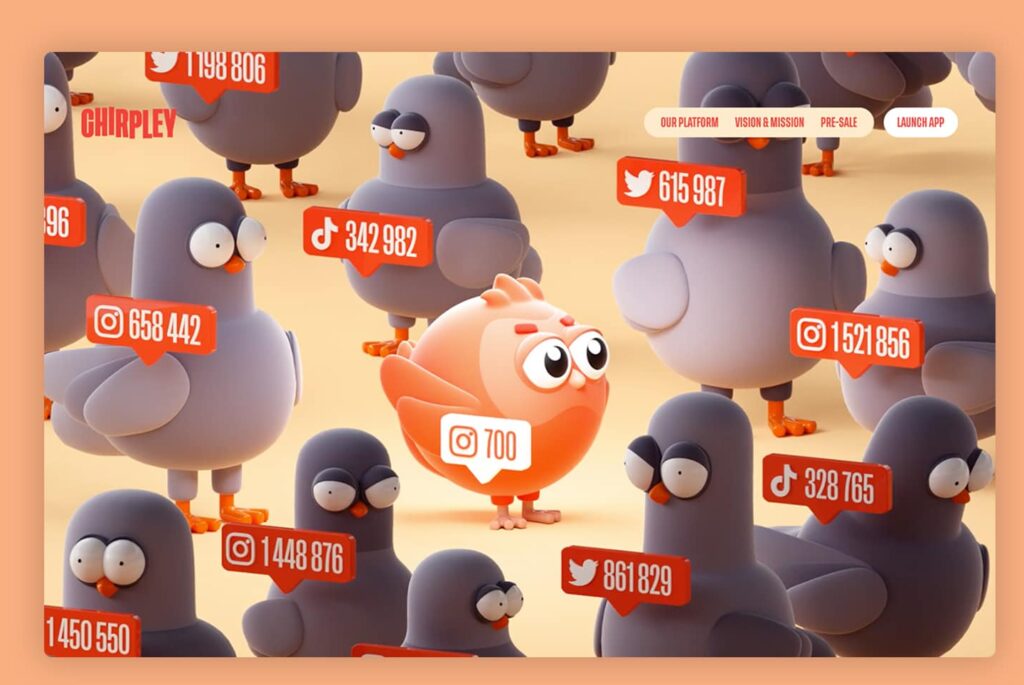
These dynamic visuals, combined with a vibrant color palette, transform complex technical information into a fun and engaging experience.
- Why it works: Strong use of 3D for brand identity, storytelling, and emotional connection.
- Design takeaway: Balance fun visuals with clear messaging to engage families and businesses alike.
Admire Amaze by De Bijenkorf
Admire Amaze by De Bijenkorf offers a surreal ecommerce experience that begins with a glowing bee flying through a virtual forest.

Using WebGL, immersive sound, and layered animation, users scroll through a magical world that leads to product discovery.
- Why it works: Combines sound, visuals, and interaction for a fully immersive digital journey.
- Design takeaway: Enhance the homepage experience with a narrative-driven 3D web journey.
Uplinq.ai
A finance-focused SaaS startup that modernizes bookkeeping through automation, Uplinq’s site is filled with robotic arms, gears, and metal elements that shift into place as you scroll.
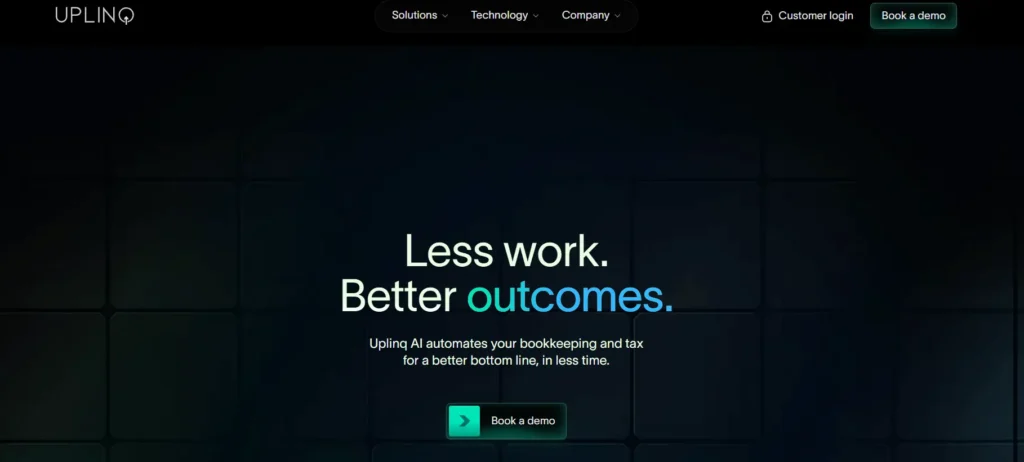
It’s futuristic and purposeful, thanks to Peter Tarka’s visuals.
- Why it works: Engages users with seamless scroll-based 3D animations.
- Design takeaway: Use 3D to elevate technical services and turn complexity into clarity.
Peter Tarka Portfolio
This design portfolio is the digital art gallery of Peter Tarka, a designer known for ultra-polished 3D compositions.
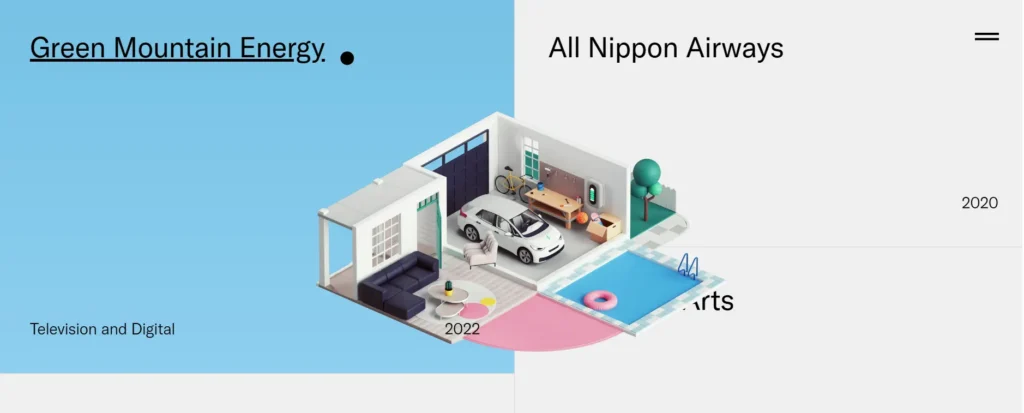
Using frameworks like Next.js and Cinema 4D, this site balances a minimal layout with subtle hover effects that reveal intricate details of each project.
- Why it works: A visual showcase of skills that doesn’t overwhelm the visitor.
- Design takeaway: Let your work speak through subtle animation and carefully planned interactions.
Enric Moreu
This digital resume begins with a three-dimensional representation of a floating island in a bright blue sky.

Built using Blender, the site guides users through different scenes as the island spins, revealing Eric Moreu‘s background and skills.
- Why it works: Minimal text, maximum creativity, a great example of how visuals can convey personality.
- Design takeaway: Use 3D to express focus, identity, and creativity, especially for personal sites.
Clou Architects
This site, by a China-based architectural firm, Clou, opens with a carousel of rotating architectural projects.
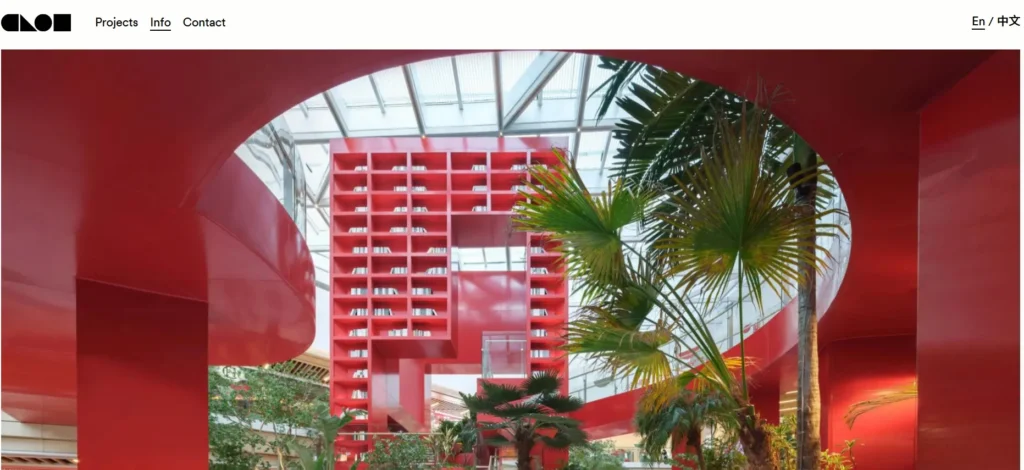
Hovering over each slide reveals a larger photo, offering quick access to each featured design.
- Why it works: Merges physical forms and digital interaction elegantly.
- Design takeaway: Don’t overdo 3D; sometimes, just the first screen is enough to leave a mark.
Kamaboko Portfolio
Kamaboko Portfolio is a whimsical student living space brought to life with a soft, lightweight color palette, smooth edges, and fluid animations.
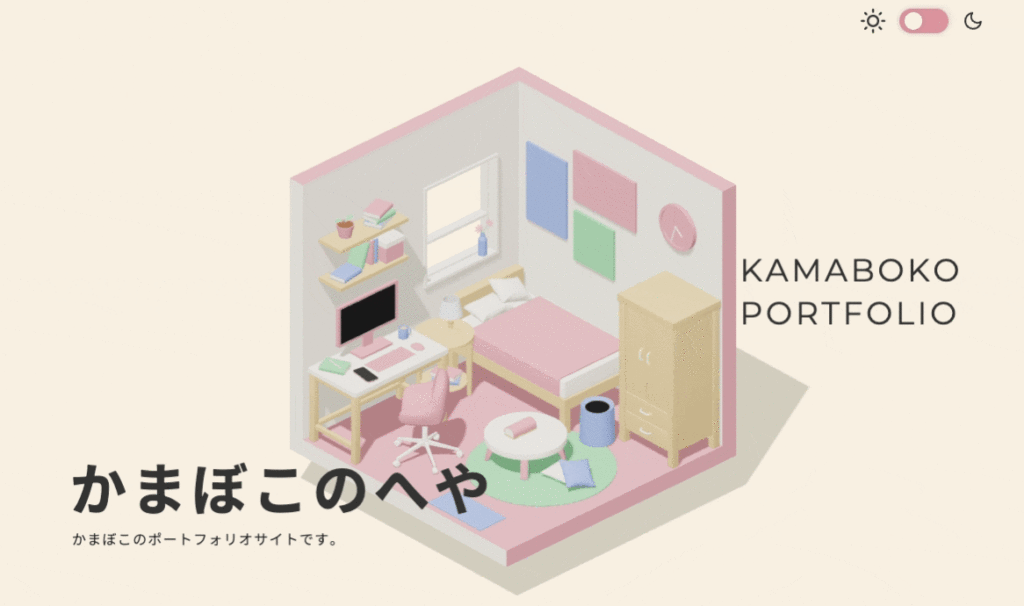
Built with GSAP animation and WebGL, this journey-style experience gradually zooms in as you scroll.
- Why it works: Personal, detailed, and skill-driven, perfect for portfolio storytelling.
- Design takeaway: Make your own personal website a journey through who you are, not just what you do.
Cat Genius by Opti Life
Built as an AR-inspired game, Cat Genius turns a quirky quiz into an educational challenge.

Users guide Simba the cat to find a bowl of food by answering questions, and unlock a discount code at the end.
- Why it works: It’s fun, informative, and brand-aligned.
- Design takeaway: Turn passive visits into interactive experiences that reward users.
Sopra Banking Software (SBS)
SBS welcomes users into a glowing, futuristic city with purple and blue towers.
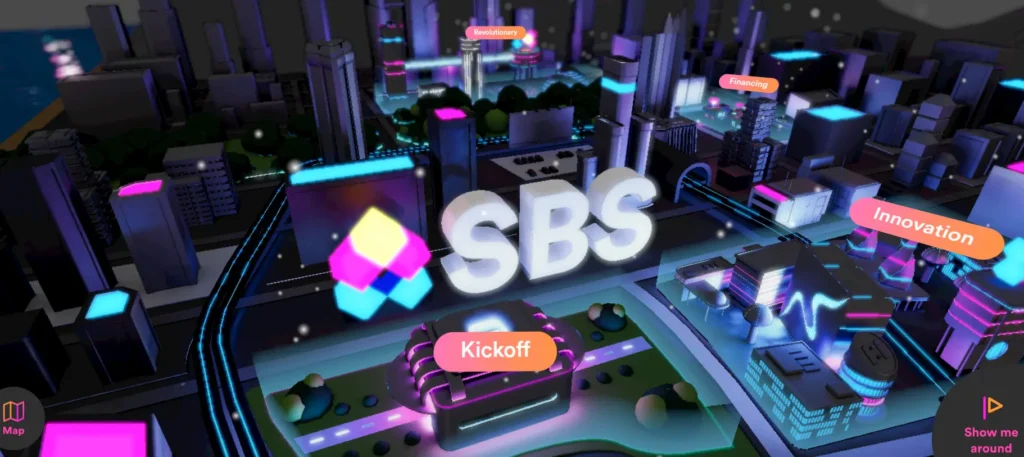
Each building leads to a new section of content that explains its fintech services.
- Why it works: A sci-fi look that matches the product’s high-tech focus.
- Design takeaway: Use 3D to visually represent abstract or data-heavy concepts.
D2’s 30 Under 30 (Built in Vev)
Instead of going all-out, D2’s 30 Under 30 uses subtle 3D effects, such as a rotating globe of photos.
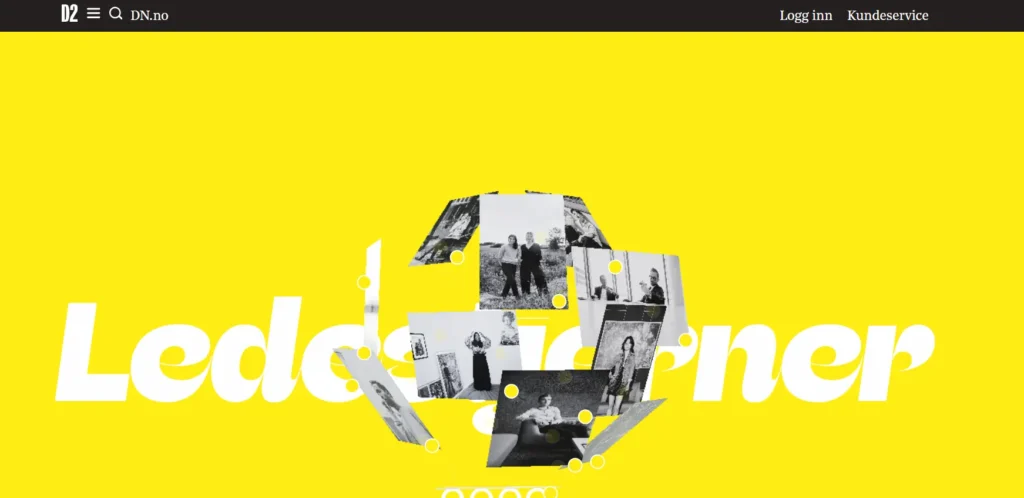
Clickable hotspots let visitors interact with each nominee, skipping the typical long-scroll bio format.
- Why it works: Balances depth with performance, great for slower connections.
- Design takeaway: Even small 3D elements can offer big interaction.
Tips for Designers Building Their Own 3D Websites
Ready to bring your own 3D website design to life? Whether you’re a seasoned developer or a designer exploring no-code tools, building your own personal website or client projects with 3D elements can elevate your web design game, if done right.
Here are some pro tips to help you get started:
- Define the Purpose of 3D on Your Site: Before diving into Blender or WebGL, ask: Why am I using 3D? Is it to highlight a product, improve storytelling, or boost engagement? Don’t add 3D just for flash; integrate it where it adds real value.
- Choose the Right Tools for Your Skills: If you’re code-savvy, tools like Three.js, GSAP animation, or WebGL offer deep control. Make sure your chosen tool works well across multiple devices and supports optimized loading for slower connections.
- Start Small, Think Big: You don’t need a fully immersive experience to impress. Even subtle elements, such as a rotating object, a 3D scroll effect, or an animated card flip, can significantly improve user engagement.
- Make it Functional and Accessible: 3D design should enhance, not hide, important documents, navigation, and CTAs. Test on real users and ensure you’re not sacrificing usability for flair. Use light, shadow, and motion to guide focus, not distract. Always check that your design works on mobile devices too.
- Showcase Your Work with Substance: If you’re building a design portfolio, personal site, or agency showcase, use 3D to reflect your skills, creativity, and process.
Conclusion
The days of static, flat layouts and rigid standard grids are fading. Today’s digital audiences crave depth, immersion, and interactivity, and 3D website design delivers just that.
Whether you’re creating your own personal website, revamping a client’s homepage, or building a design portfolio that demands attention, integrating 3D elements can help you craft a site that’s not only functional but also visually stunning and deeply engaging.
From showcasing projects in dynamic environments to guiding visitors through immersive stories, the 3D web brings a new layer of realism, personality, and creativity to modern web design. And thanks to powerful tools, no-code platforms, and inspiration from other examples, it’s never been easier to create something truly memorable.
So, whether you’re a seasoned web developer or just starting out with limited coding skills, now is the perfect moment to step beyond the flat screen and explore what’s possible in the digital realm.
Let these examples spark your next project, push your skills, and ignite your imagination. The future of the web isn’t just clickable, it’s dimensional.
3D Website Design FAQs
How do 3D website examples help engage visitors?
They use motion, depth, and interaction to grab attention fast. These elements make browsing more interesting and reduce waiting time. Users explore rather than skim, which improves overall impact.
Do 3D websites work well on modern and older devices?
Yes, most 3D web design projects are optimized for modern devices. For older devices, designers use lighter assets and fallback options. This ensures accessibility without breaking the experience.
Which technologies are used in 3D web design?
Popular technologies include React, Three Fiber, and WebGL. These tools help create interactive elements, textures, and animations smoothly across industries such as gaming, architecture, and SaaS.
Is 3D better than traditional design for every company?
Not always. Traditional design still works for simple websites. But if your company wants innovation and stronger engagement, adding dimension through 3D can deliver better results.
What resources are needed to build a 3D website or app?
You need optimized images, illustrations, and 3D assets. A strong development setup with React or similar tools helps. Many no-code platforms also simplify creation, even for beginners.


